

Print design, Adding Subtotals
A2750Oluşturulma: 29.03.2010Güncellenme: 03.09.2026
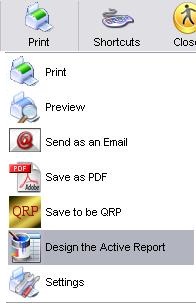
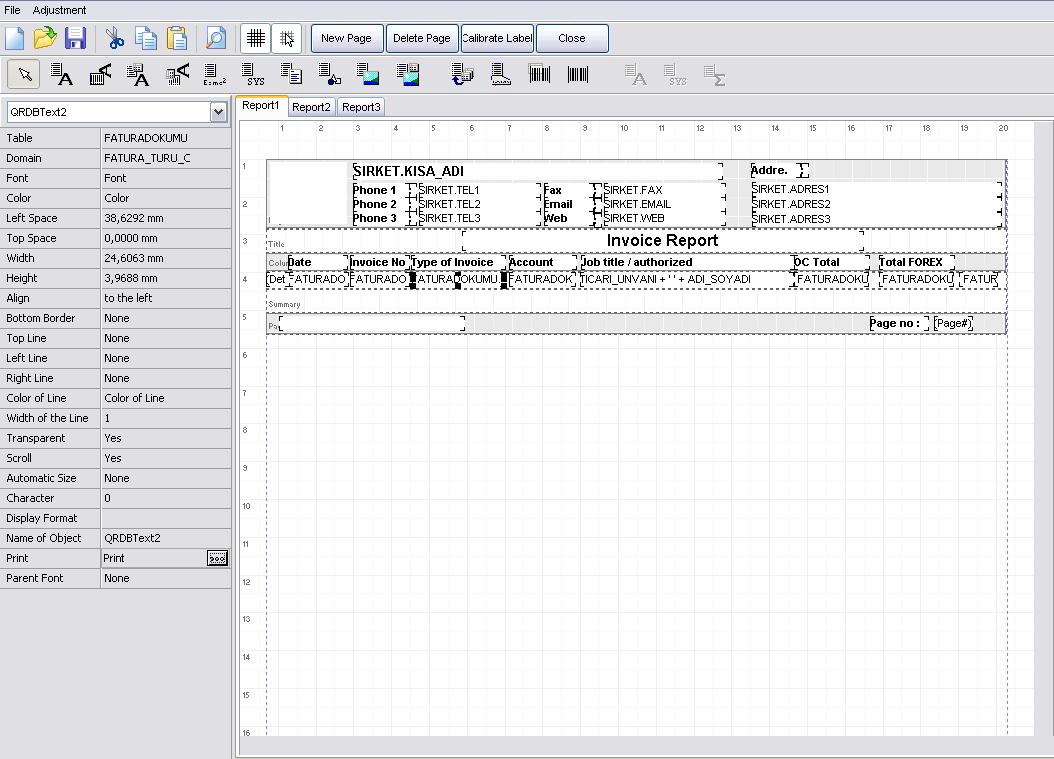
Open the selected your design from Print->Design The Active Report. Click Print option in the left side which selected area, after that select the none from print option and save the design. In the area you want to see subtotals in this application will have to individually.
Kaynak: AKINSOFT Bilgi Bankası (A2750) — orijinal makale
Bu makale yardımcı oldu mu?
Aynı kategoriden diğer makaleler
In AKINSOFT WOLVOX ERP 8 program, Can I copy the recorded invoice after that changes the details and save again ?A2752In AKINSOFT WOLVOX 8 program, Can I increase or decrease all stock price ?A2753How can I restore the accidentally deleted invoice in Akınsoft Wolvox program?A2754How can I use by activating assortment system in my WOLVOX Pre-Accounting program?A2787Wolvox Program setup instructionsA2799
Sorun devam mı ediyor?
AKINSOFT Malatya Ana Bayiniz olarak yerinde ve uzaktan destek veriyoruz.