

Mass Warehouse Transfer
You can use this field to transfer your stocks in mass between your warehouses. By using the filtering criteria, you can transfer your stocks in bulk which you will list. After you have selected the source and target warehouses, you can transfer your stocks to the transfer screen by making individual or multiple selections.
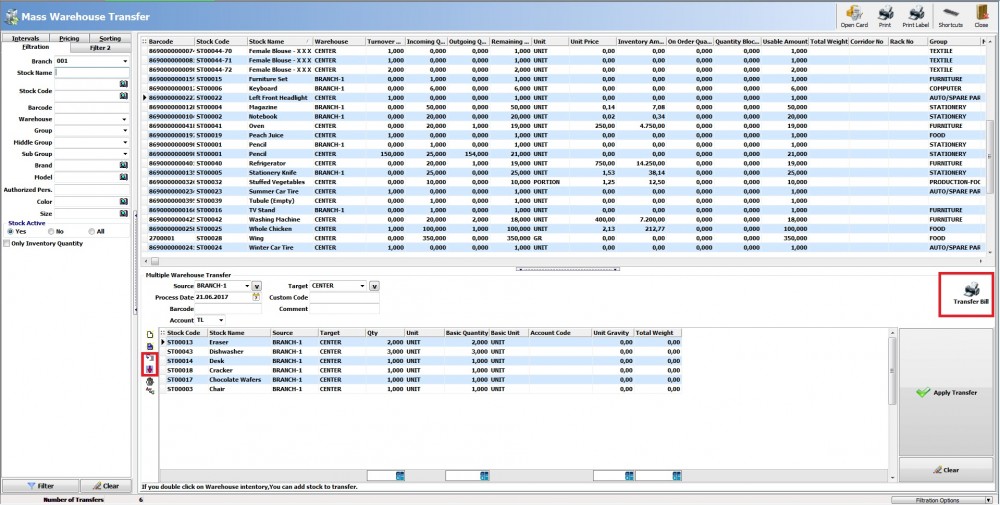
Transfer Bill
The field you can print the report of the transfer process you have made.
Import Data From File
You can import data from the excel or text page that you have saved by the “Import Data from File” button located next to the window where there are stocks to be imported at the bottom of the screen.
Import
You can transfer all your filtered stocks from the field above or from an invoice or order by clicking the “Import” button .
Kaynak: AKINSOFT Bilgi Bankası (A2828) — orijinal makale
Aynı kategoriden diğer makaleler
Sorun devam mı ediyor?
AKINSOFT Malatya Ana Bayiniz olarak yerinde ve uzaktan destek veriyoruz.