

Add Showcase in E-Commerce System
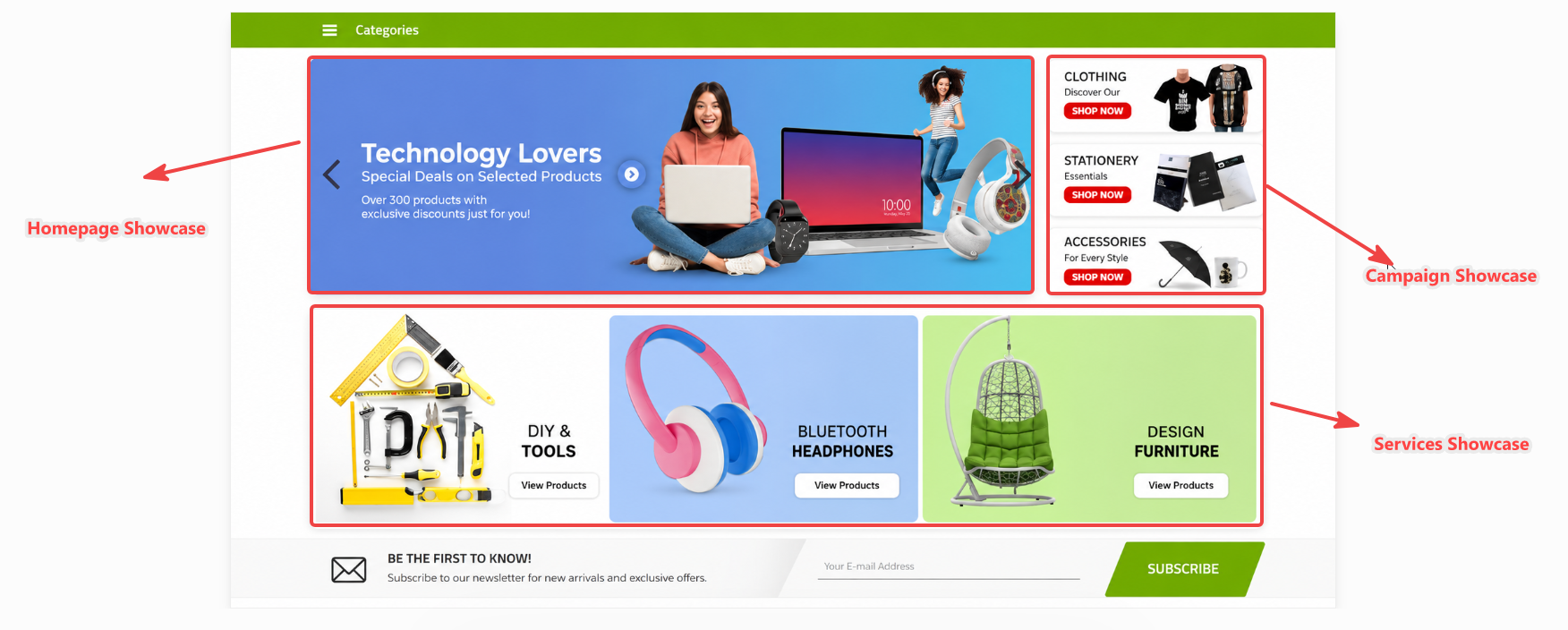
- Thanks to the showcase operations, you can add visual effects on your E-Commerce panel, create slides, display your pictures about your campaigns on your home page, publish your advertisements and make your site look better.
A-) Home Page Showcase : You can place slides about your campaigns on your home page, and publish your announcements, campaigns or advertisements about your company.
B-) Our Services Showcase : It is the section where you can create a picture table related to the services you offer to your customers.
C-) Our Brands Showcase : It is the section where you can display your references or other brands connected to your company.
D-) Our Campaigns Showcase : You can enter your products related to the campaign you have made in this section.
E-) Vertical Showcase : This section is where you can add links with pictures, such as advertising on your site.
1-) Link : When clicking on the image, you can enter the link of the page you want to be directed to in this field.
2-) Sort Order : If we want the showcase image added to the slide to appear in what order we can adjust it from here.
3-) Publish Date : You can specify the showcase picture publish date.
4-) End Date : If you are going to add a campaign picture, you can enter the end date of the campaign here, and show how many days remain on your home page.
5-) Window : When clicking on the image, you can enable the relevant page to be opened on the same tab or in a different tab.
6-) Status : It is the field where you can publish your showcase pictures or take them passively.
7-) View : It is the field where you can determine who can see your showcase pictures. For example, if you want to show only B2Cs, you should choose B2C selection.
8-) Mobile Application : If your E-Commerce site has a mobile application, you can enable the display of your showcase pictures in mobile applications by ticking the "Mobile showcase" tick. If you mark it as a mobile showcase, the image will not appear in desktop view
9-) SEO Sections : You can enter your Seo information about showcase picture from this field.
10-) Showcase Picture : You can add the showcase picture in this is section.
Note: Showcase operations are different for each theme.
Kaynak: AKINSOFT Bilgi Bankası (A2973) — orijinal makale
Aynı kategoriden diğer makaleler
Sorun devam mı ediyor?
AKINSOFT Malatya Ana Bayiniz olarak yerinde ve uzaktan destek veriyoruz.