

Make Sure Sales Price Is Less Than Purchase Price
A3190Oluşturulma: 19.11.2021Güncellenme: 03.09.2026
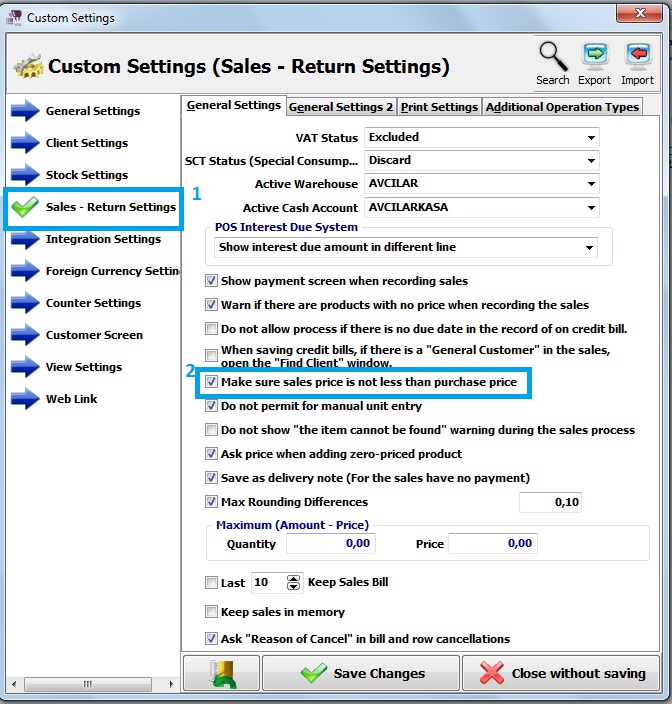
First of all, click on Admin-Custom Definitions-Custom Settings.
Click on Sales - Return Settings.
Moreover, select make sure sales price is not less than purchase price and save it.
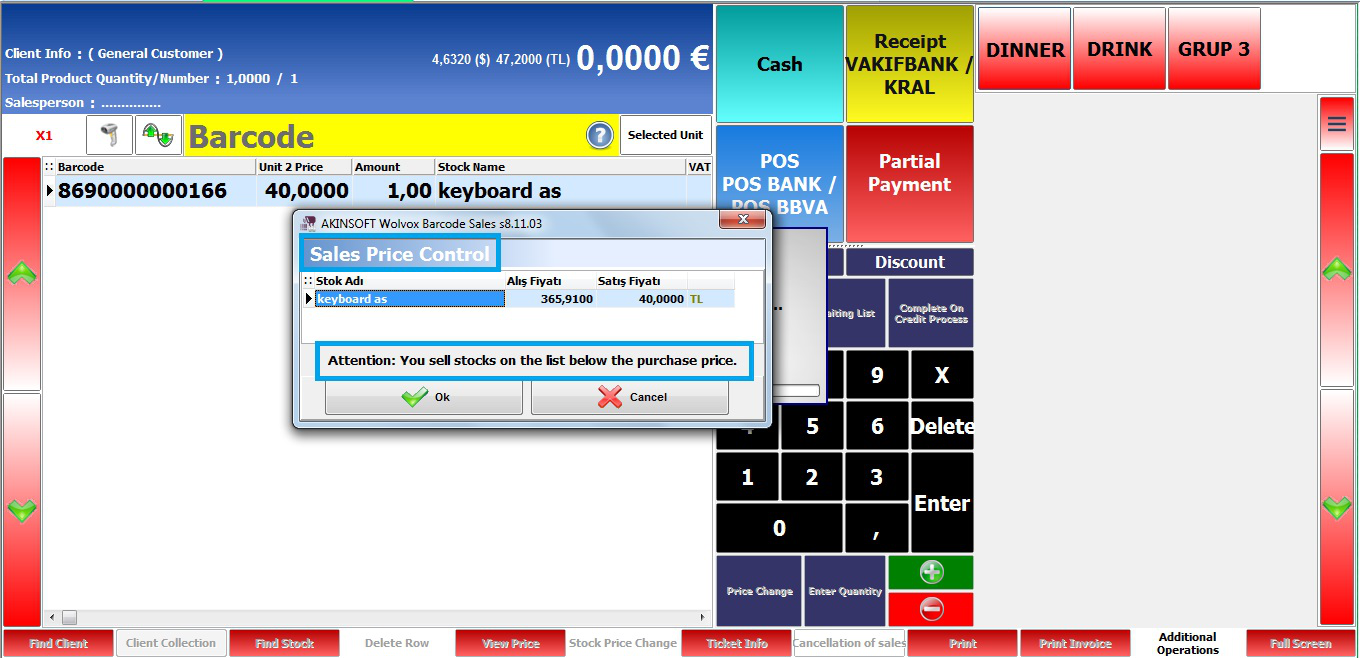
In the sales screen, add a stock with sales price is less than purchase price.
After that, click on one of payment types and program shows a message.
Kaynak: AKINSOFT Bilgi Bankası (A3190) — orijinal makale
Bu makale yardımcı oldu mu?
Aynı kategoriden diğer makaleler
Sorun devam mı ediyor?
AKINSOFT Malatya Ana Bayiniz olarak yerinde ve uzaktan destek veriyoruz.