

How Do You Get The Product List Which Do Not Meet The Order Amounts?
A3198Oluşturulma: 23.11.2021Güncellenme: 03.09.2026
You can simply report your product(s) which meet /do not meet the order amounts in your inventory on Wolvox ERP program.
You must use Order Reports – Order Delivery Report for this.
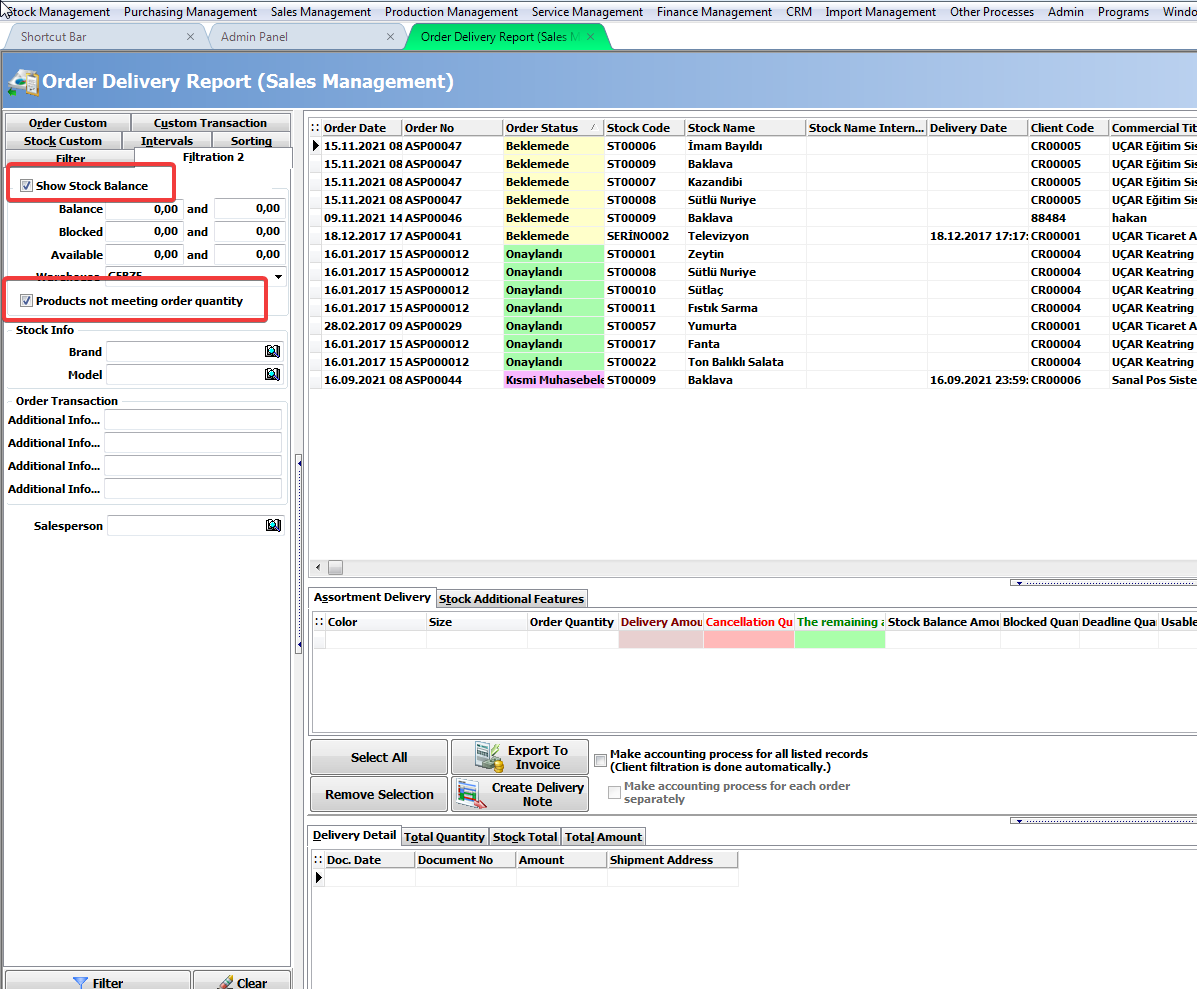
Filtering should be done by activating the "Show Stock Balance" and "Products not meeting order quantity" options in the Filtering 2 tab in the related report.
Kaynak: AKINSOFT Bilgi Bankası (A3198) — orijinal makale
Bu makale yardımcı oldu mu?
Aynı kategoriden diğer makaleler
Sorun devam mı ediyor?
AKINSOFT Malatya Ana Bayiniz olarak yerinde ve uzaktan destek veriyoruz.