

Preventing Multiple Appearance of Pop-Up Message When Caller-ID Call Incoming
A3236Oluşturulma: 20.12.2021Güncellenme: 03.09.2026
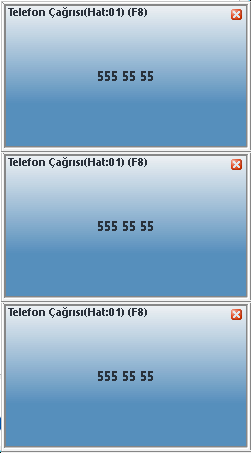
In some cases, in our programs such as Wolvox Restaurant, Wolvox ERP, which are used with the Caller-ID feature, the pop-up message that appears at the bottom right when a call comes in appears more than once for a single caller number.
To prevent this situation, go to the C:\AKINSOFT\CallerIdServer1 folder on the computer to which the Caller-ID device is connected, open the "Settings.ini" file with a notepad, delete the IP number in the IPNO=nnn.nnn.nnn.nnn line, write the IP number of the current computer and save it.
The Caller-ID Server program is restarted.
Kaynak: AKINSOFT Bilgi Bankası (A3236) — orijinal makale
Bu makale yardımcı oldu mu?
Sorun devam mı ediyor?
AKINSOFT Malatya Ana Bayiniz olarak yerinde ve uzaktan destek veriyoruz.