

TaskPano Repeating Tasks and Creating Task Template
What is Repeating Task and Used for?
Repetitive task is a task structure that allows the creation of tasks that need to be done at regular intervals and reminds the participants in the task with notifications when the time comes again.
You can have the task repeat somewhat on certain days of the week, on certain days.
What is Task Template and Used for?
The task template allows the created task to be used more than once, to be duplicated by making changes to it.
For example, you can create a routine monthly inventory count as a task template. When the task is due, you can create the task by selecting this task template and assign it to your participants. In this way, instead of creating task details over and over every month, you can always use them by creating them once.
Creating Repeating Tasks
Follow steps in below to create repeating task.
- Choose project you want to create repeating task in.
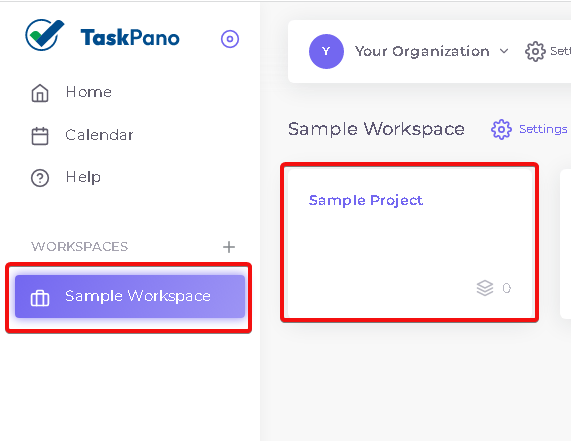
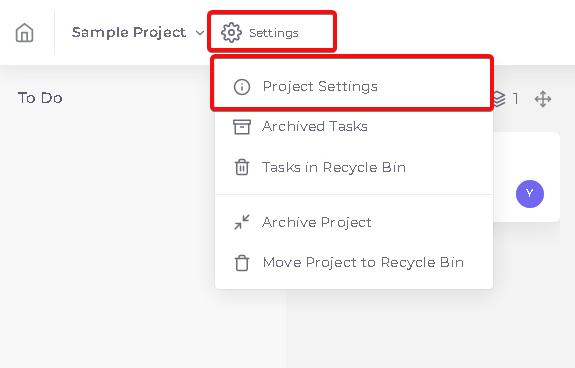
- Press ‘Settings’ button then press ‘Project Settings’.
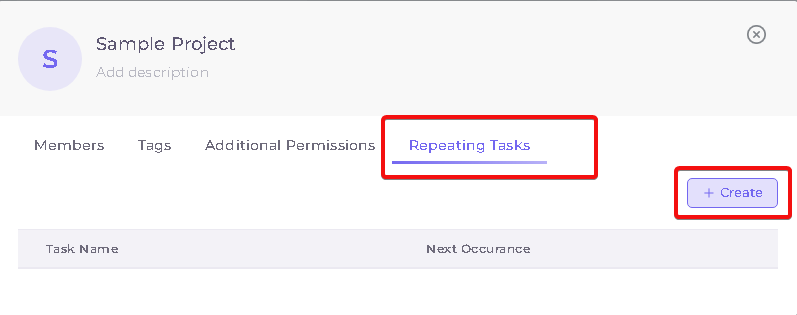
- Press ‘+ Create’ button in repeating tab.
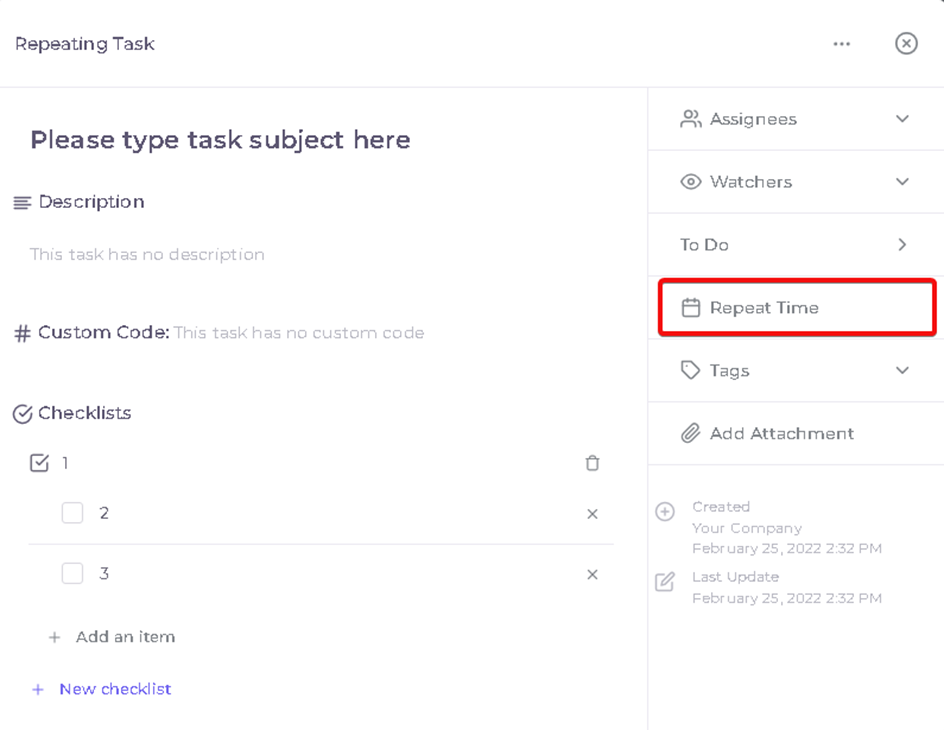
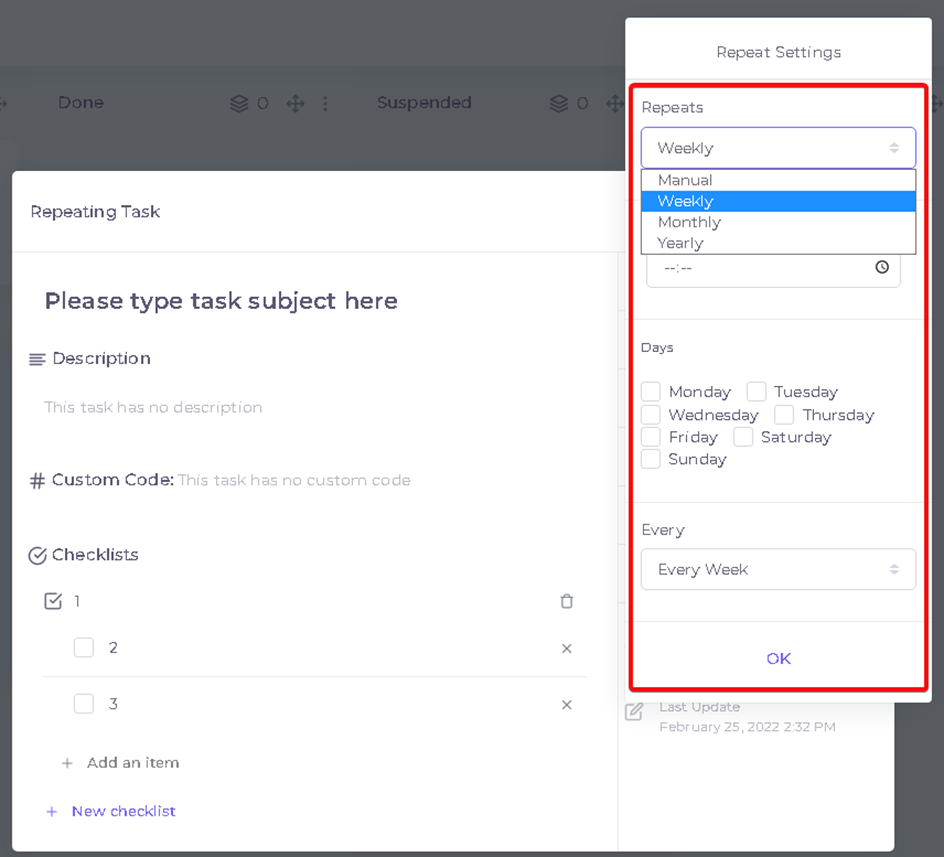
- After entering the job descriptions in the task creation window that appears, click to select the Recurrence Date.
The recurring task's settings and definitions are the same as the regular task definitions. If you don't know how to define a task, click here.
- From here, choose again manually, weekly, monthly or yearly.
- You can use the repetitive task as a template by selecting it manually.
- By selecting Weekly you can choose which days of the week the week repeats.
- By selecting monthly, you can choose which day the month repeats.
- By choosing annual, you can have it done once a year.
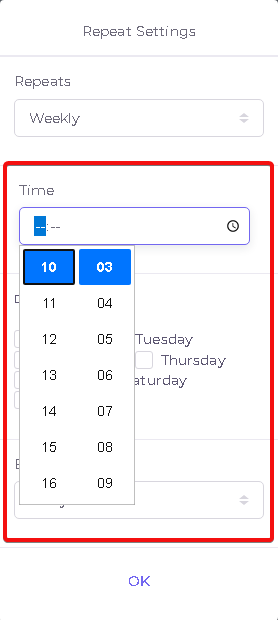
- Enter a time for reminding.
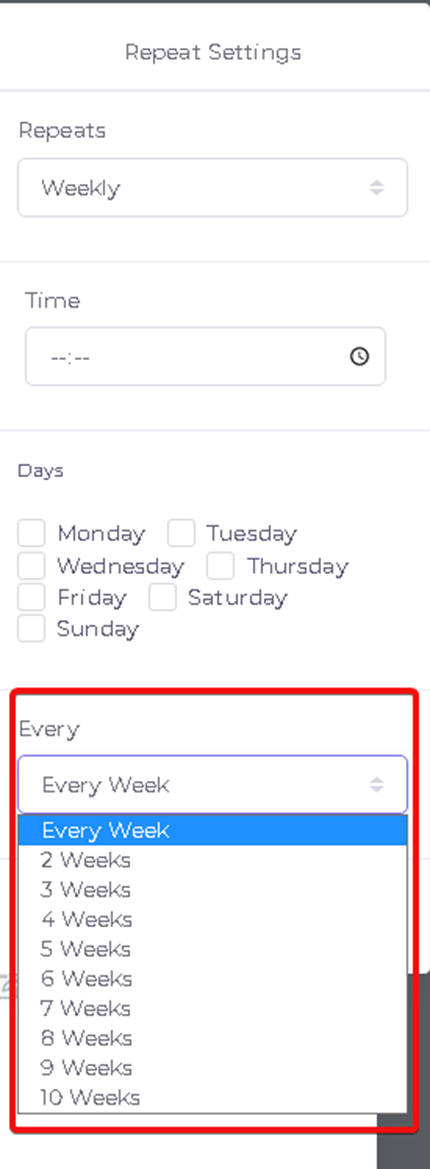
- For example, if you choose the repeat weekly, then choose how long you want it to continue. (Every week, for 2 weeks, for 3 weeks.
- Save your process by pressing ‘Ok’ button.
Creating Task Template
Follow the steps below to use the task template you created by manually selecting the repeat option.
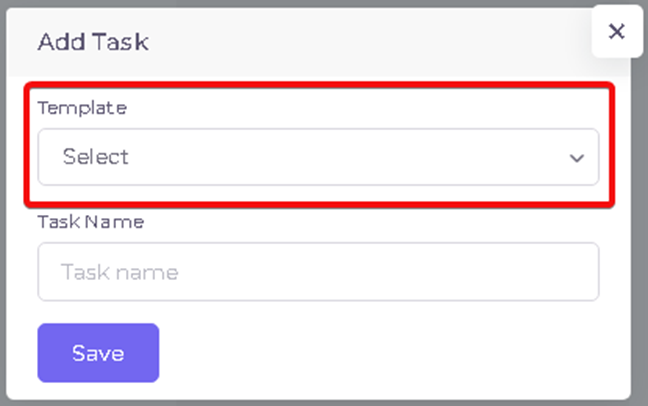
1.Enter in Project page then press ‘+’ button.
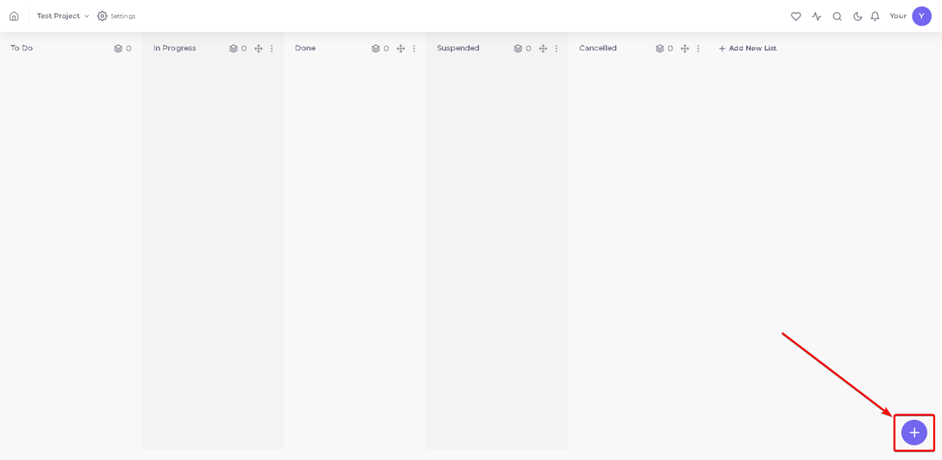
2.Select your 'Add Task' task that comes up, enter the name you will create and the records task.
Kaynak: AKINSOFT Bilgi Bankası (A3316) — orijinal makale
Aynı kategoriden diğer makaleler
Sorun devam mı ediyor?
AKINSOFT Malatya Ana Bayiniz olarak yerinde ve uzaktan destek veriyoruz.