

e-Commerce & OctoCloud Integration
e-Commerce & OctoCloud Integration
First of all, you should create a user with API Authorization from the Role definitions in your OctoCloud panel.
Afterwards, you check your connection with the Check Connection button by entering the user information you created in the OctoCloud management panel in the field under the Connection Information heading in the Integrations >> OctoCloud Management tab in your e-Commerce / Market Place management panel and if the connection is successful, you provide your first transactions ensure by saying.
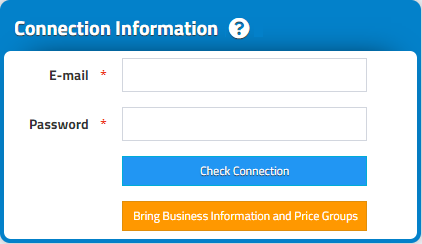
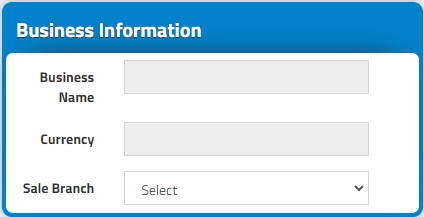
With the Get Business Information and Price Groups button, the data in the Business Information field is filled.
Select your OctoCloud branch that you want to drop orders from the Sale Branch heading.
Select OctoCloud Synchronization in the Integration Options heading: Synchronization is selected as Existing and integration is started.
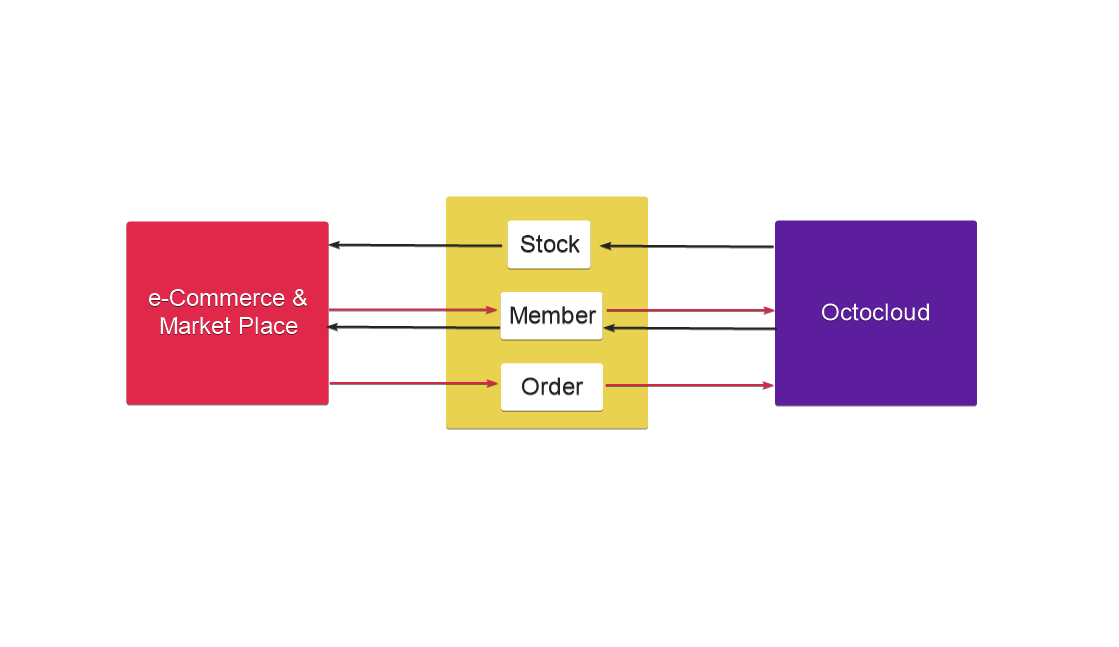
Basically, you can view the integration map below
Inventory It can be sent to the e-Commerce & Market Place management panel via OctoCloud.
Member: It can be sent from e-Commerce & Market Place management panel to OctoCloud and from OctoCloud management panel to e-Commerce & Market Place management panel.
Order: It can be sent from e-Commerce & Market Place management panel to OctoCloud management panel.
Kaynak: AKINSOFT Bilgi Bankası (A3783) — orijinal makale
Aynı kategoriden diğer makaleler
Sorun devam mı ediyor?
AKINSOFT Malatya Ana Bayiniz olarak yerinde ve uzaktan destek veriyoruz.