

Forex Rate download settings
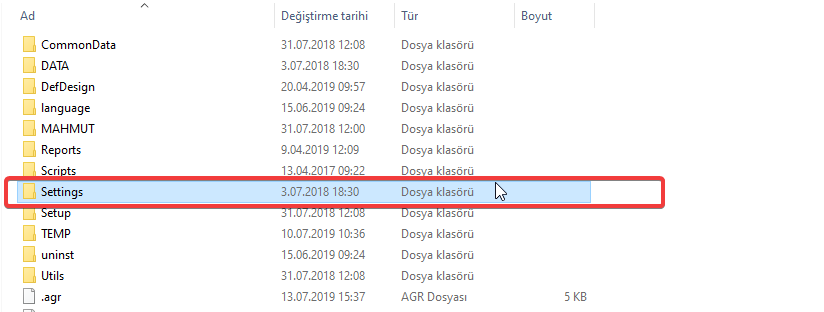
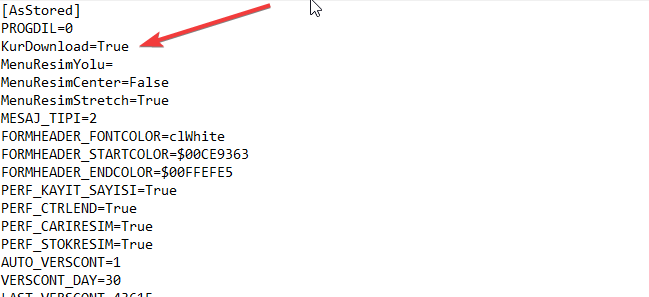
On Wolvox ERP 7 program shorcut, follow right click => Settings => Open file location ("Find target" ). On the opening window, open file starting as "Setting_" in Settings => Ini folder. Go to ''kur download=True'' field on the 3rd row. Delete True and type False instead and save the file. (Apply this process on all files which are starting as "Setting_".)
On Wolvox 6 program shorcut, follow right click => Settings => Open file location ("Find target" ). On the opening window, open "Setting" file in Settings => Ini folder. Go to ''kur download=True'' field on the 10th row. Delete True and type False instead and save the file.
On Octoplus 6/Octopers 5 program shorcut, follow right click => Settings => Open file location ("Find target"). On the opening window, open Ayar.ini file in Data => INI folder. In the opening file go to ''kur download=True'' field. Delete True and type False instead and save the file.
Kaynak: AKINSOFT Bilgi Bankası (A2901) — orijinal makale
Aynı kategoriden diğer makaleler
Sorun devam mı ediyor?
AKINSOFT Malatya Ana Bayiniz olarak yerinde ve uzaktan destek veriyoruz.