

I can''t see my bank in ''My Cheque'' transactions. What should I do?
In order to use the Bank for your cheque entries in your AKINSOFT programs, make the following operations in order.
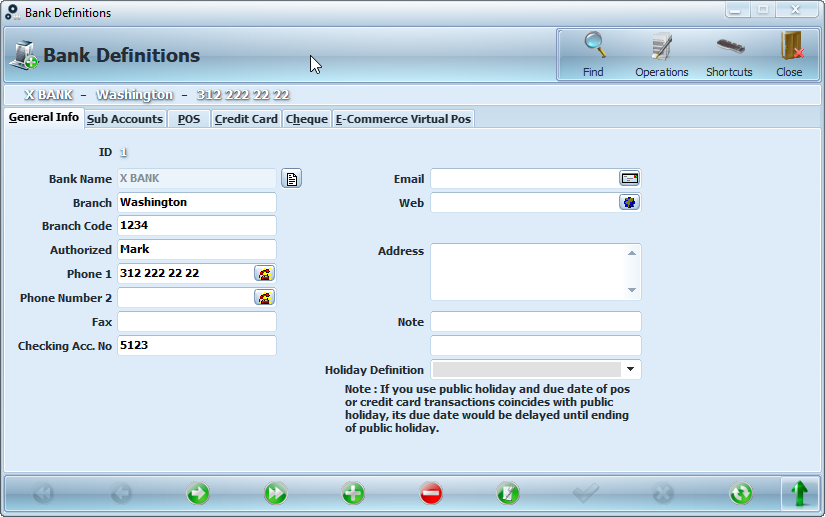
Enter Bank Definitions.
Define your bank.
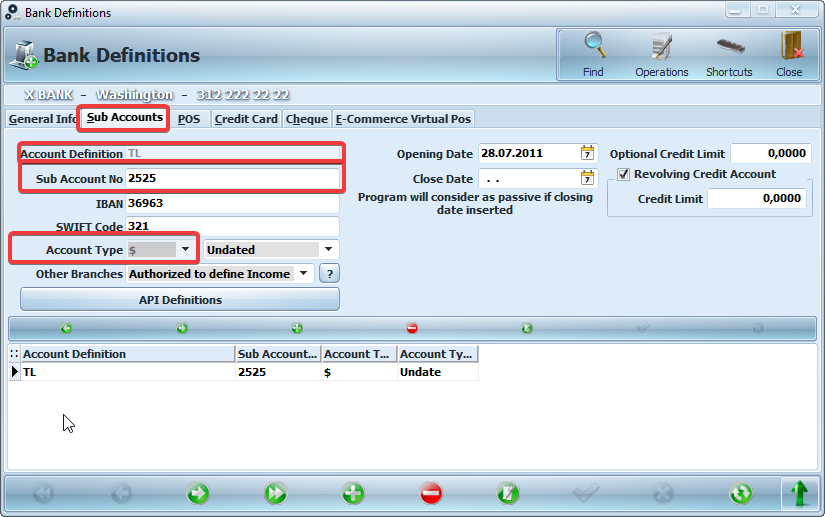
Once you have finished defining your bank, switch to the 'Sub Accounts' tab.
Make 'Account Definition'.
Enter the 'Sub Account No'.
Select 'Account Type'.
Save.
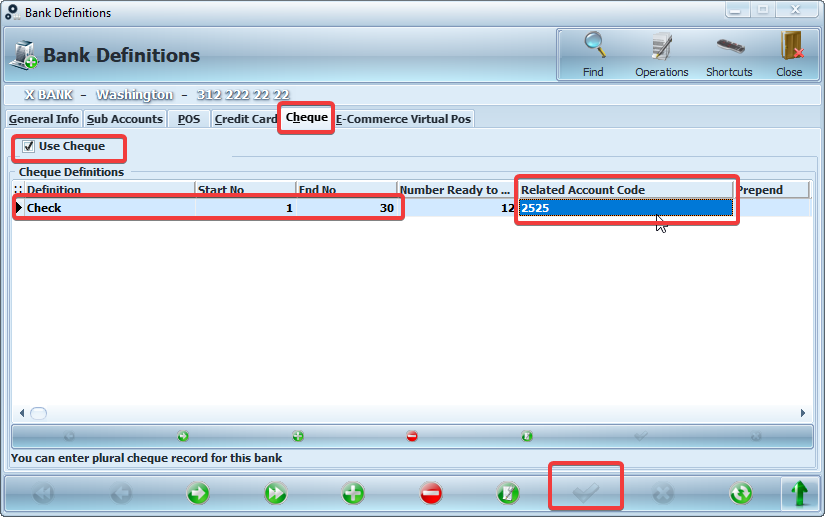
Click on the 'Cheque' tab in the top menu.
Select 'Use Cheque'.
Manually enter the 'Cheque Definition, Start No, End No, Number Ready to Give' fields.
Click on the arrow in the red square in the 'Related Account Code' field. Do not enter manually.
Save.
After the registration process is finished, you can use your bank for your cheque transactions.
Kaynak: AKINSOFT Bilgi Bankası (A2932) — orijinal makale
Aynı kategoriden diğer makaleler
Sorun devam mı ediyor?
AKINSOFT Malatya Ana Bayiniz olarak yerinde ve uzaktan destek veriyoruz.