

Licensing Procedures in AKINSOFT Wolvox Program
- Run the AKINSOFT Wolvox Control Panel program while all your programs are closed.
- Click on **'Admin'** at the top.
- Click on **"Wolvox License"** from the opened tab.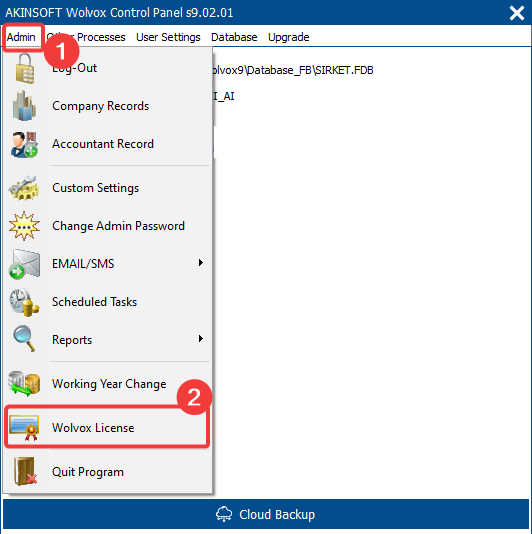
- If you have internet access, click the **'Online License'** button.
- If you do not have internet access, please fill in this form to get help for licensing.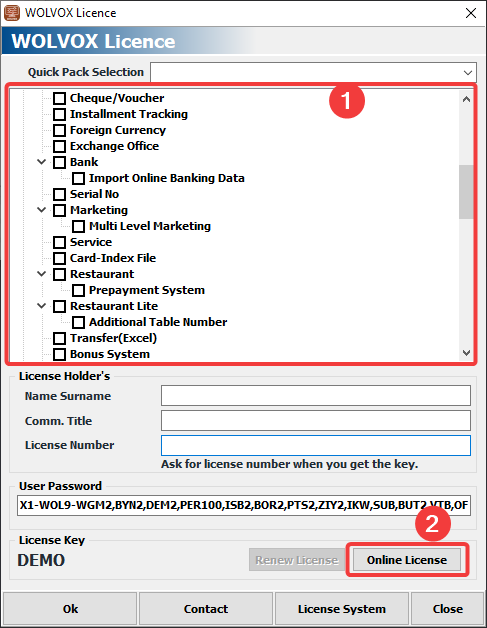
Check the option **'I have a license card or security code'**.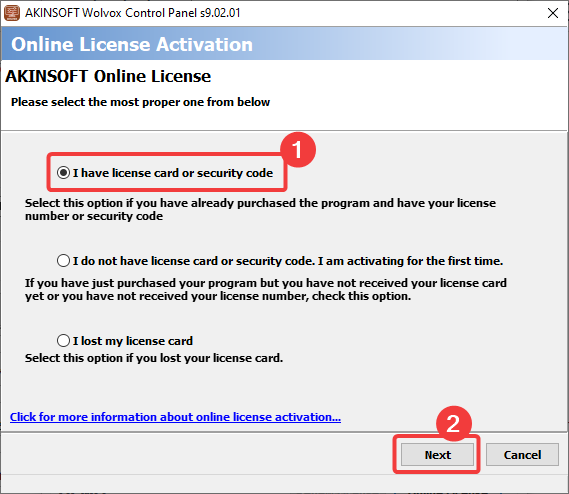
- Fill in the **'License Number'** and **'Security Code / Customer Password'** fields on the screen that appears.
- Continue by saying **'Next'**.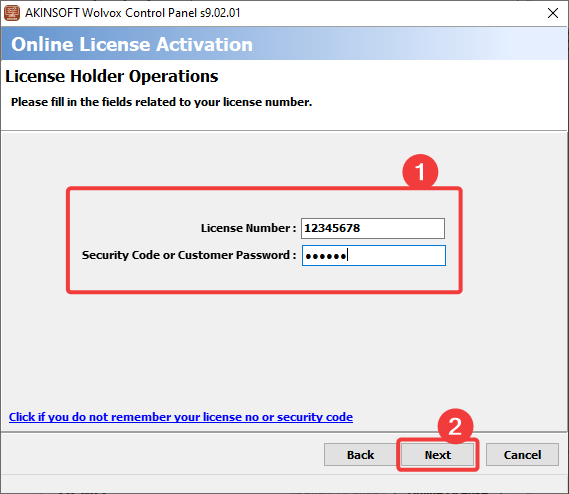
- If you do not know your license number, please fill in this form to get information.
- If you don't know the security code **CLICK**
- Your license information will appear on the screen that opens. Click the **'End'** button.
- If you have more than one program enrolled in the same license, select the appropriate one and click **'End'**.
- **"Do you wish to activate your license again?"** The question will appear. Continue by saying **'Yes'**.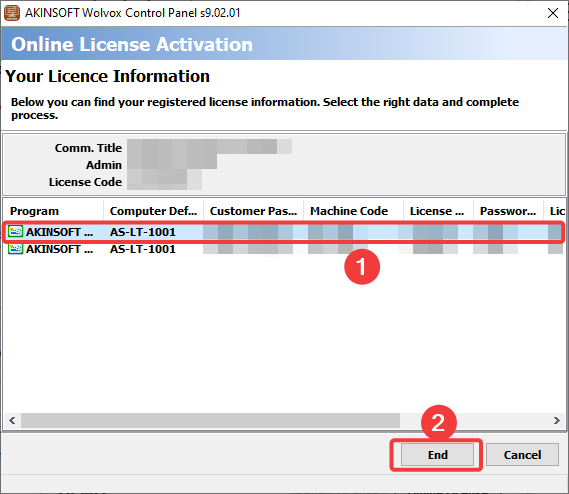
- You can start using your program as licensed after **'Licensing done successfully.'** message.
Kaynak: AKINSOFT Bilgi Bankası (A2955) — orijinal makale
Aynı kategoriden diğer makaleler
Sorun devam mı ediyor?
AKINSOFT Malatya Ana Bayiniz olarak yerinde ve uzaktan destek veriyoruz.