

How to Show Stock Comment info At Invoice design
A2965Oluşturulma: 22.09.2020Güncellenme: 03.09.2026
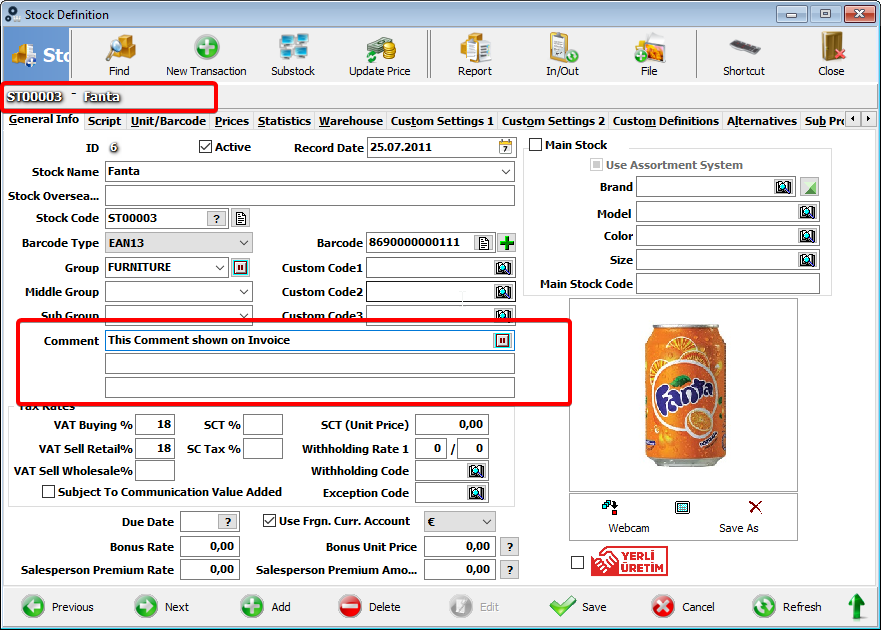
We must make some settings for this process...
First step;
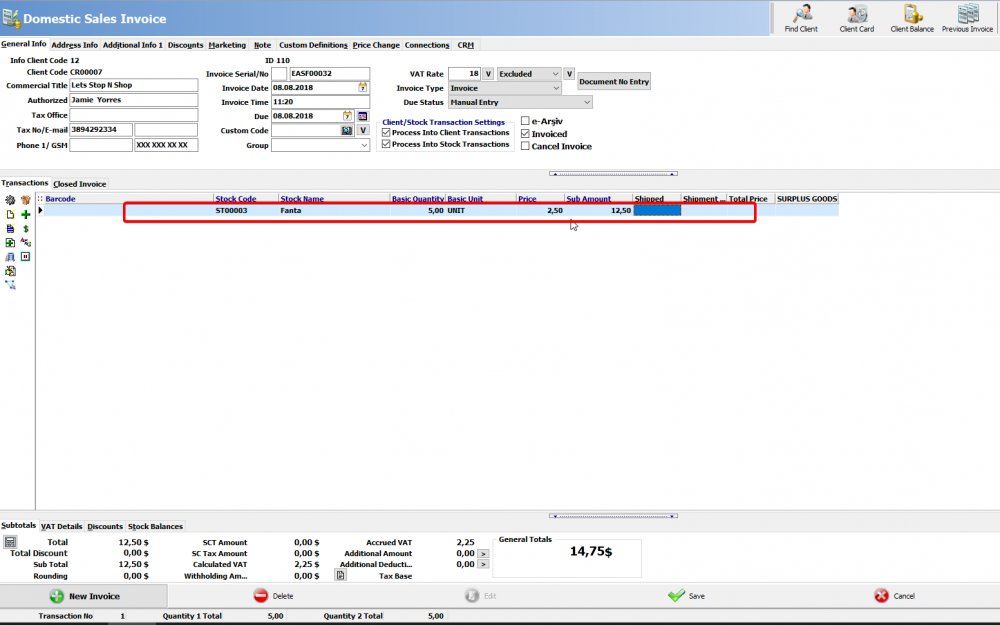
Click Admin - Custom Definitions - Custom Settings. Invoice settins > General Invoice must be checked "Import Stock data when printing invoice".
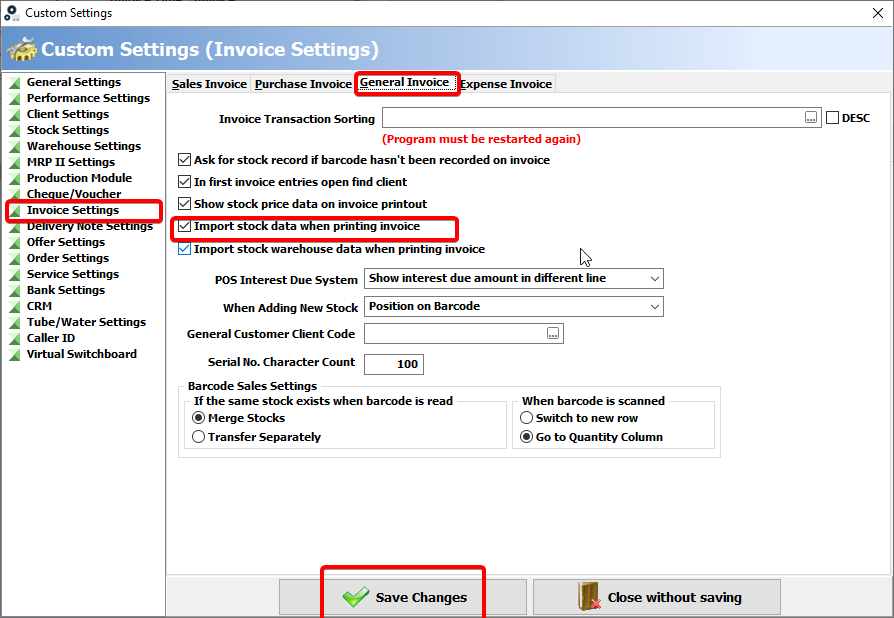
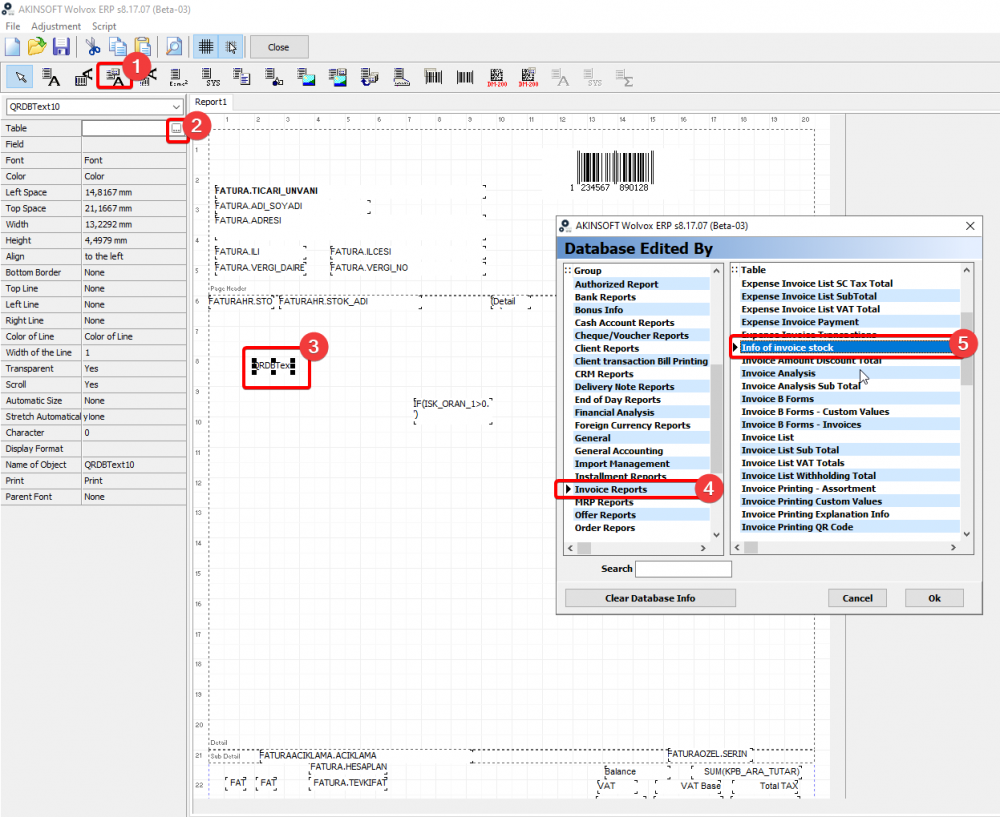
After that step, when we are creating a new invoice we must add a new fields This fields are;
add a data field;
click ... button and
Choose Table.Invoice Report - Info of invoice stock
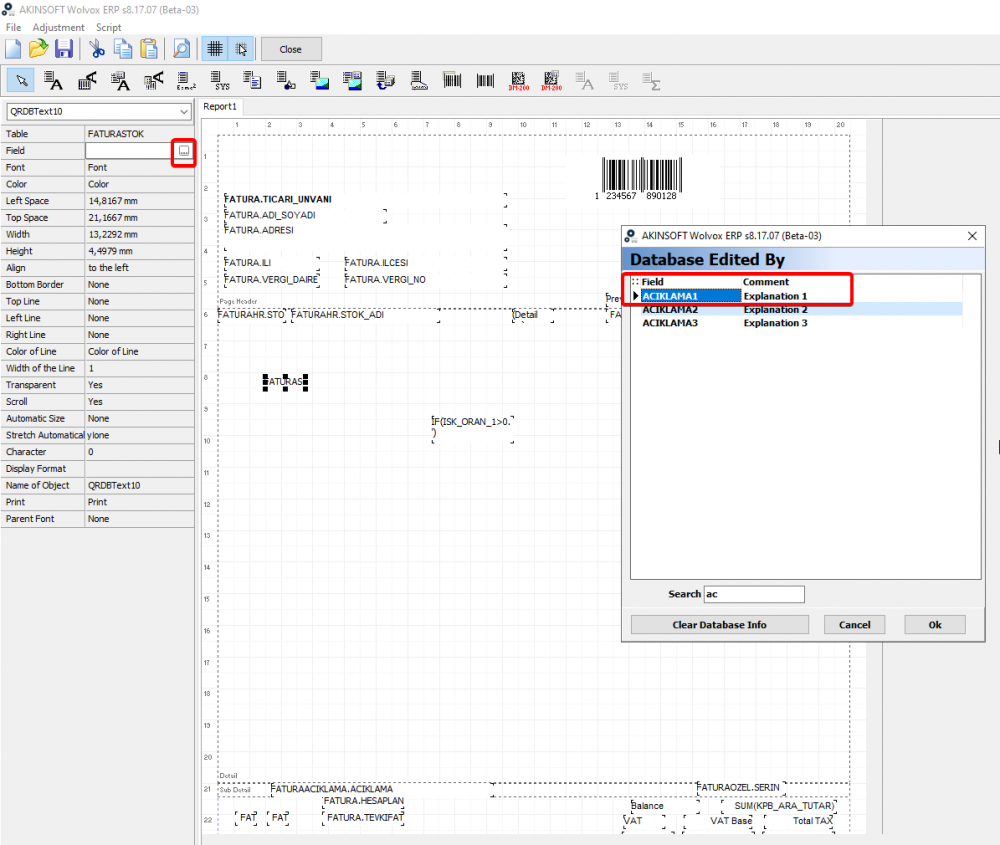
after this step, click ... button from field option.
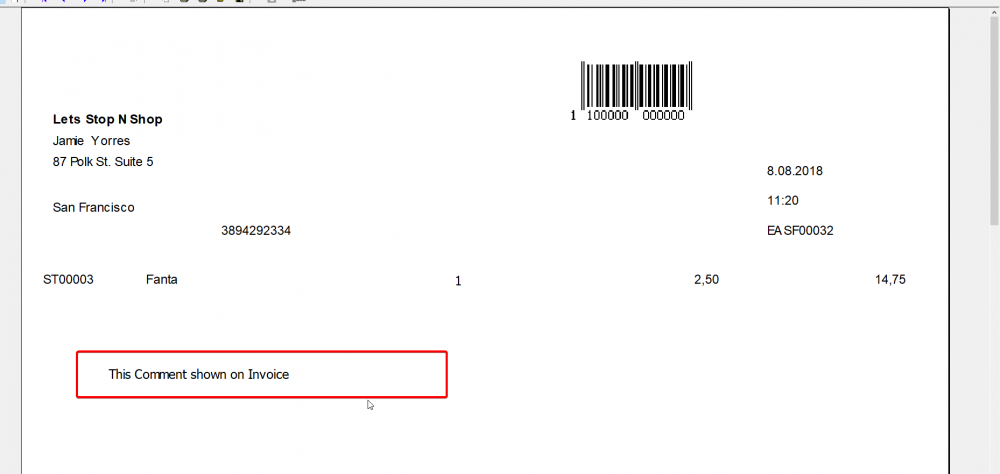
Choose Explanation 1 all settings are done for this process..
Save and close this page, print or preview your design at Invoice
Kaynak: AKINSOFT Bilgi Bankası (A2965) — orijinal makale
Bu makale yardımcı oldu mu?
Aynı kategoriden diğer makaleler
I have a problem to receive the output with OKI ML 3321 at AKINSOFT Commercial Programs. What should I do?A2764I use Windows XP and EPSON LX 300 printer. I have a problem to print invoice. What should I do?A2765I use Epson Printer. I want to open Tear Off features. What should I do ?A2766Output from the printer at AKINSOFT,"Range Check Error".A2768System Error Code5 Access DeniedA3226
Sorun devam mı ediyor?
AKINSOFT Malatya Ana Bayiniz olarak yerinde ve uzaktan destek veriyoruz.