

Stock Unit Definitons With Digits
A3140Oluşturulma: 14.10.2021Güncellenme: 03.09.2026
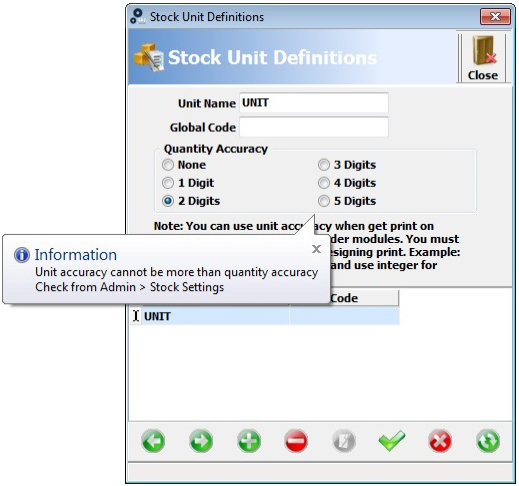
Firstly, open the stock unit definition.
After that, write the unit name and select quantity accuracy( choose one of digits for ex. 2 digits instead of none).
When you click on save, program shows you message.
Secondly, according to this message click on Admin(top of the panel).
Moreover, click on definitions and general settings.
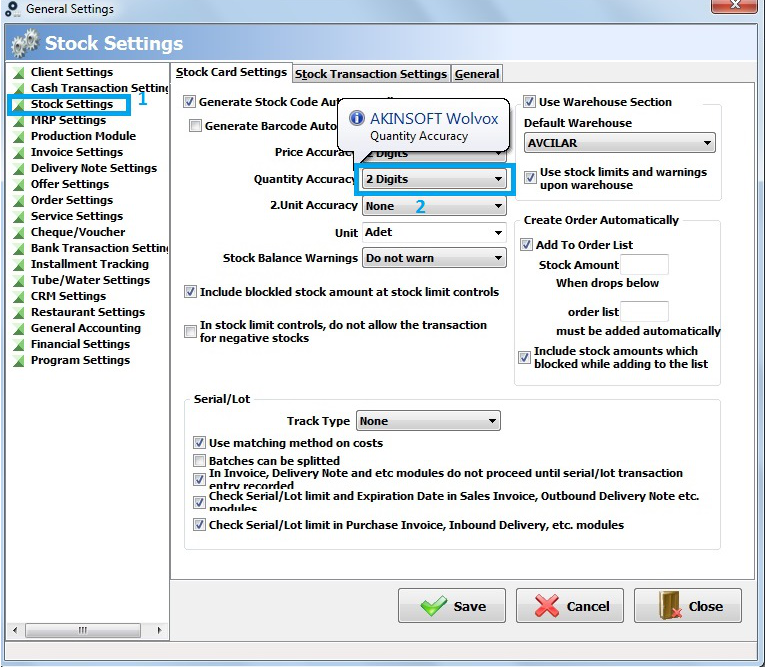
Thirdly, click on stock settings. In the stock card settings , you will see accuracies.
Furthermore, select 2 digits and save it.
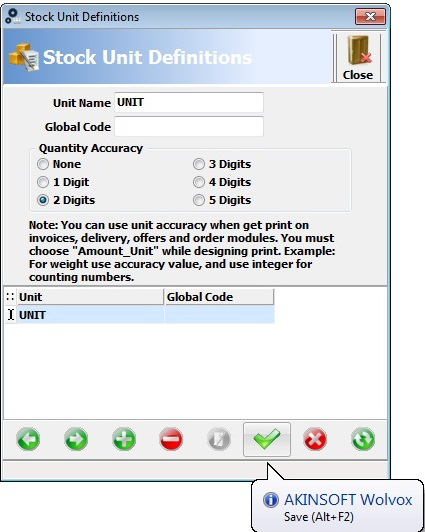
Finally, lets go back to the stock unit definitions and you can save your unit with 2 digits.
Kaynak: AKINSOFT Bilgi Bankası (A3140) — orijinal makale
Bu makale yardımcı oldu mu?
Aynı kategoriden diğer makaleler
Print design, Adding SubtotalsA2750In AKINSOFT WOLVOX ERP 8 program, Can I copy the recorded invoice after that changes the details and save again ?A2752In AKINSOFT WOLVOX 8 program, Can I increase or decrease all stock price ?A2753How can I restore the accidentally deleted invoice in Akınsoft Wolvox program?A2754How can I use by activating assortment system in my WOLVOX Pre-Accounting program?A2787
Sorun devam mı ediyor?
AKINSOFT Malatya Ana Bayiniz olarak yerinde ve uzaktan destek veriyoruz.