

How to Disallow to Enter Data Before Active Date, Month or Confirm Date
A3142Oluşturulma: 15.10.2021Güncellenme: 03.09.2026
You may want to disallow to entering data before active period you defined. To make this restrain, follow the steps in below;
Admin->Definitions->General Settings.
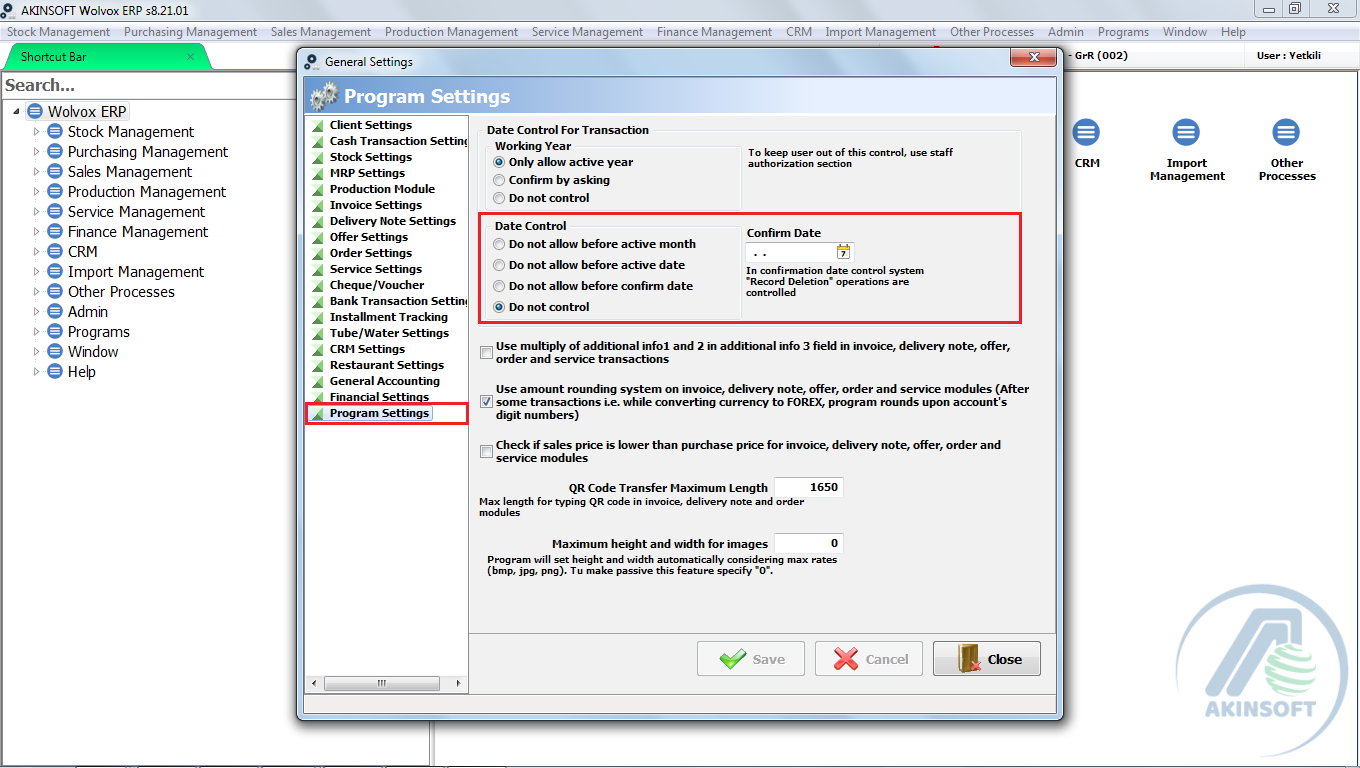
Program Setting-> As you can see in data control field, You will have 3 different period options. You may choose one of them as you like and save it.
Kaynak: AKINSOFT Bilgi Bankası (A3142) — orijinal makale
Bu makale yardımcı oldu mu?
Aynı kategoriden diğer makaleler
Print design, Adding SubtotalsA2750In AKINSOFT WOLVOX ERP 8 program, Can I copy the recorded invoice after that changes the details and save again ?A2752In AKINSOFT WOLVOX 8 program, Can I increase or decrease all stock price ?A2753How can I restore the accidentally deleted invoice in Akınsoft Wolvox program?A2754How can I use by activating assortment system in my WOLVOX Pre-Accounting program?A2787
Sorun devam mı ediyor?
AKINSOFT Malatya Ana Bayiniz olarak yerinde ve uzaktan destek veriyoruz.