

Activation Calculating Windows in Sample View
A3231Oluşturulma: 17.12.2021Güncellenme: 03.09.2026
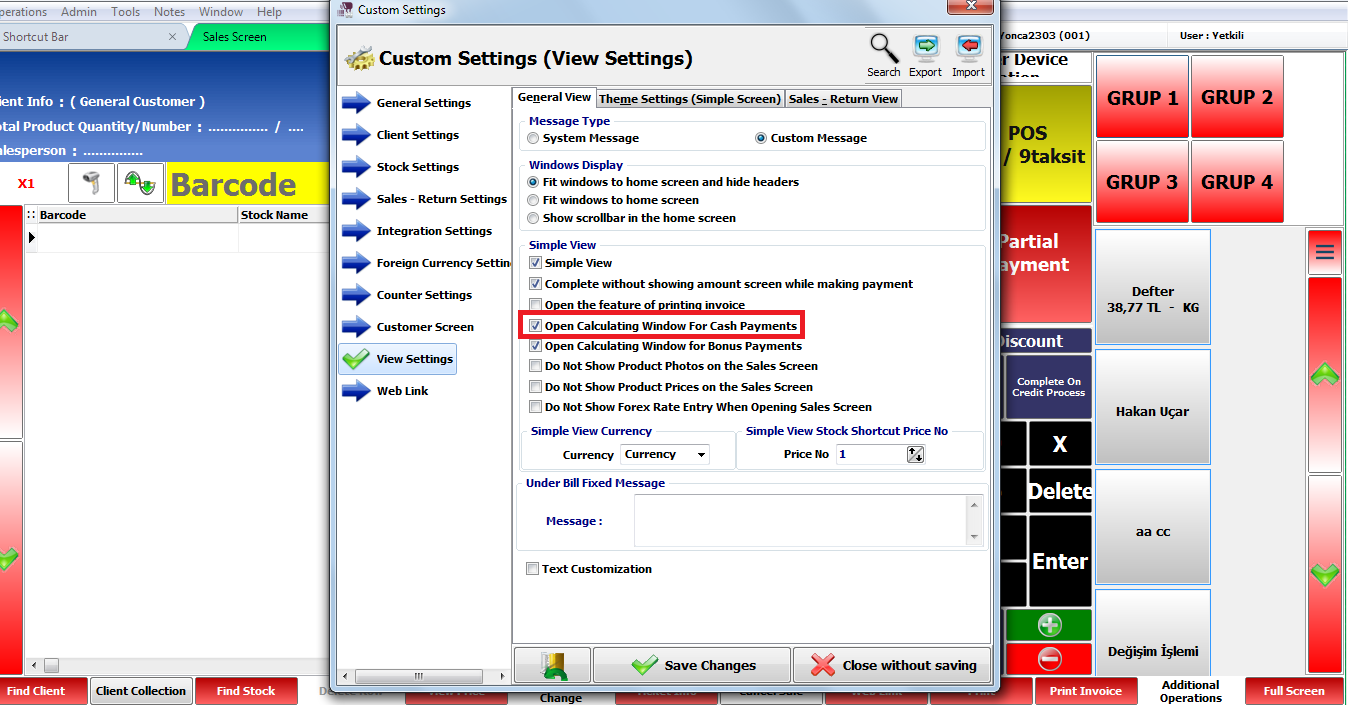
Admin > Custom Definitions > Custom Settings > View Settings > Mark "Open calculating windows for cash payments" option.
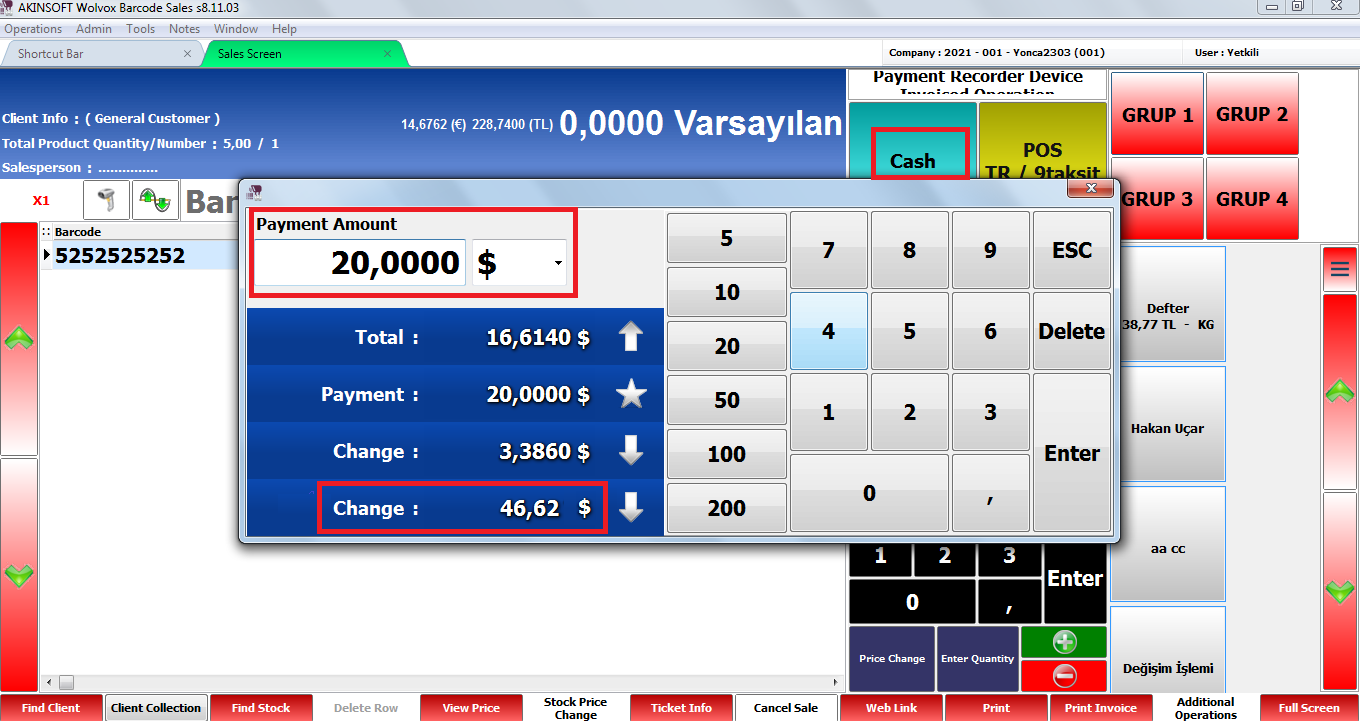
Choose the products and press the Cash button then calculating window will be visible. In this window write the payment amount, and chance will be calculated automatically.
Kaynak: AKINSOFT Bilgi Bankası (A3231) — orijinal makale
Bu makale yardımcı oldu mu?
Aynı kategoriden diğer makaleler
I have a bank account and pay more than one definition of POS option. What should I do?A2760Wolvox Barcode Sales / Sales ScreenA3139Warn If There Are Products With No Price When Recording The SalesA3189Make Sure Sales Price Is Less Than Purchase PriceA3190Wolvox Barcode Sales Customer Screen ScriptA3191
Sorun devam mı ediyor?
AKINSOFT Malatya Ana Bayiniz olarak yerinde ve uzaktan destek veriyoruz.