

Detailed End of Day Report
A3232Oluşturulma: 17.12.2021Güncellenme: 03.09.2026
Firstly, click on Admin – Custom Definitions – Custom Settings.
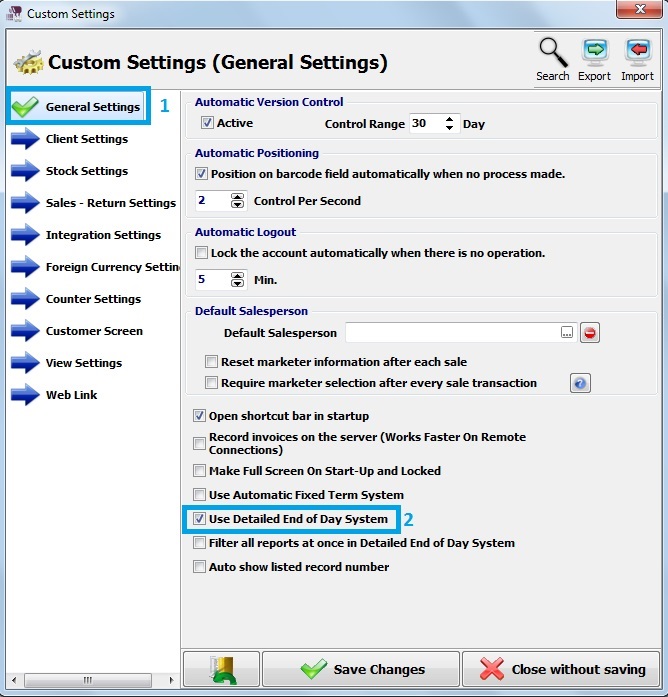
Secondly, in general settings , there is Use Deatiled End of Day Report. Select and save it.
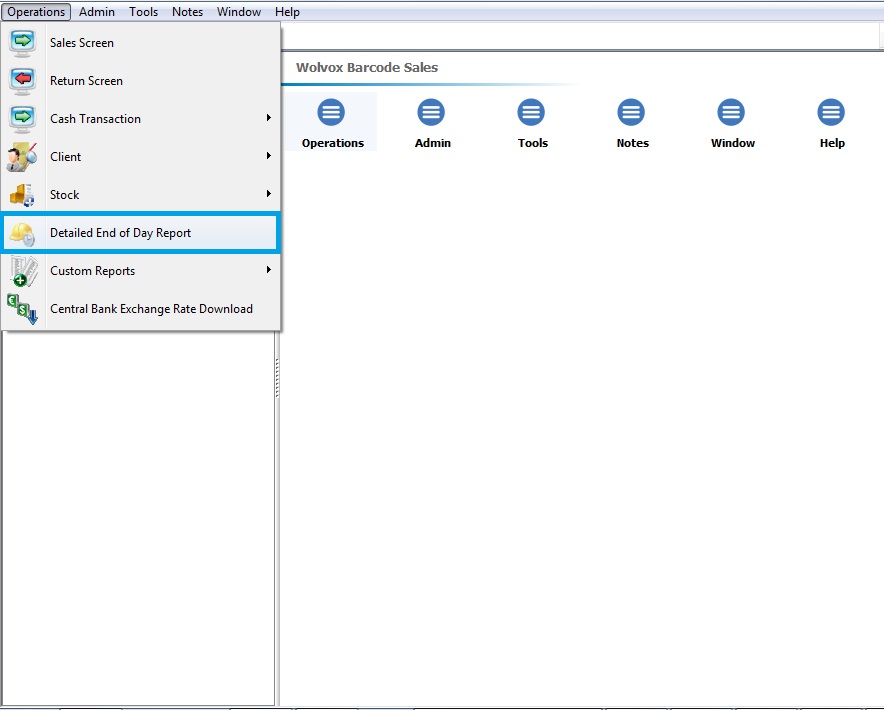
In the Wolvox Barcode Sales program, click on operations and Detailed End of Day Report.
Program shows you End of Day Report.
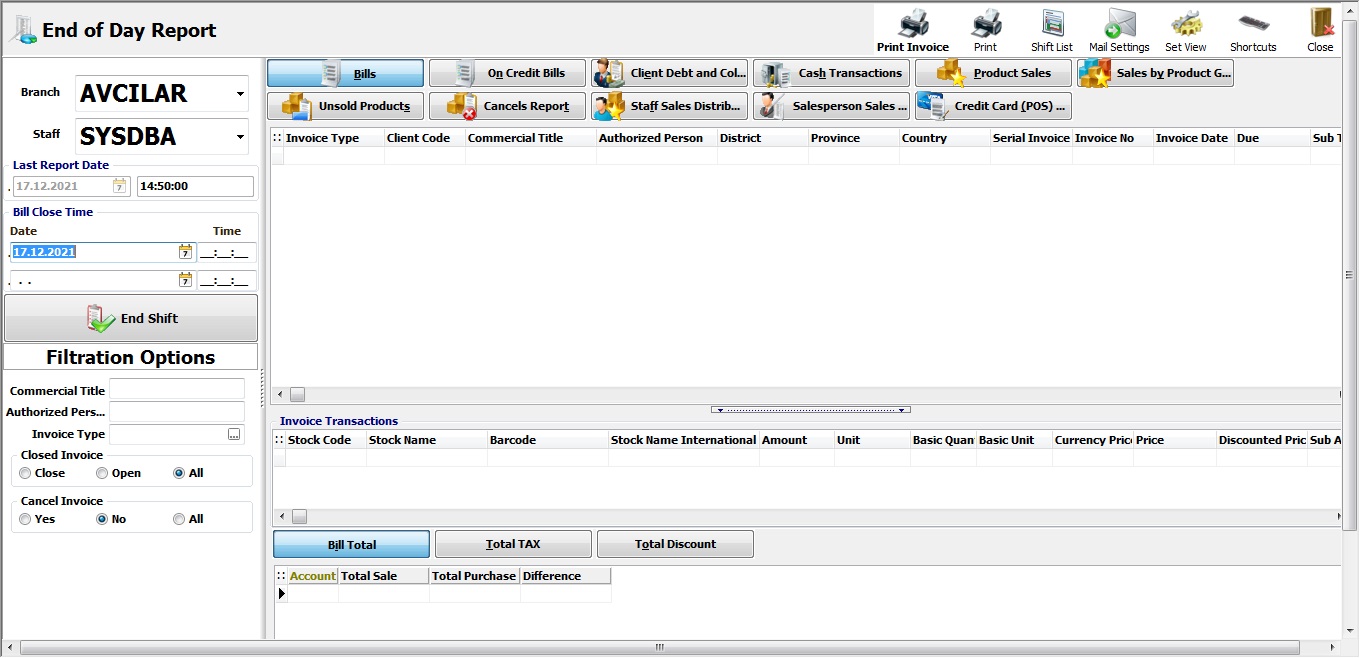
Here you can see all transactions about whatever you and users have done.
There are details about bills, on credit bills, cash transaction etc.
You click one of them and then filter it, transactions will be displayed.
Kaynak: AKINSOFT Bilgi Bankası (A3232) — orijinal makale
Bu makale yardımcı oldu mu?
Aynı kategoriden diğer makaleler
I have a bank account and pay more than one definition of POS option. What should I do?A2760Wolvox Barcode Sales / Sales ScreenA3139Warn If There Are Products With No Price When Recording The SalesA3189Make Sure Sales Price Is Less Than Purchase PriceA3190Wolvox Barcode Sales Customer Screen ScriptA3191
Sorun devam mı ediyor?
AKINSOFT Malatya Ana Bayiniz olarak yerinde ve uzaktan destek veriyoruz.