

Cannot Attach to Services Manager Error
The 'Cannot attach to services manager' error you get when opening AKINSOFT Wolvox Control Panel means that the database manager 'Firebird Server Manager' is not working.
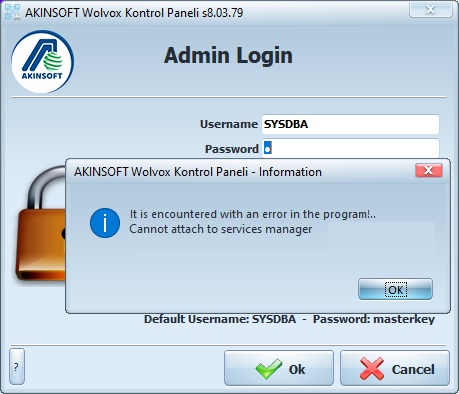
The steps you need to do to run Firebird Server Manager are listed below.
1-) First of all, open the control panel of your computer.
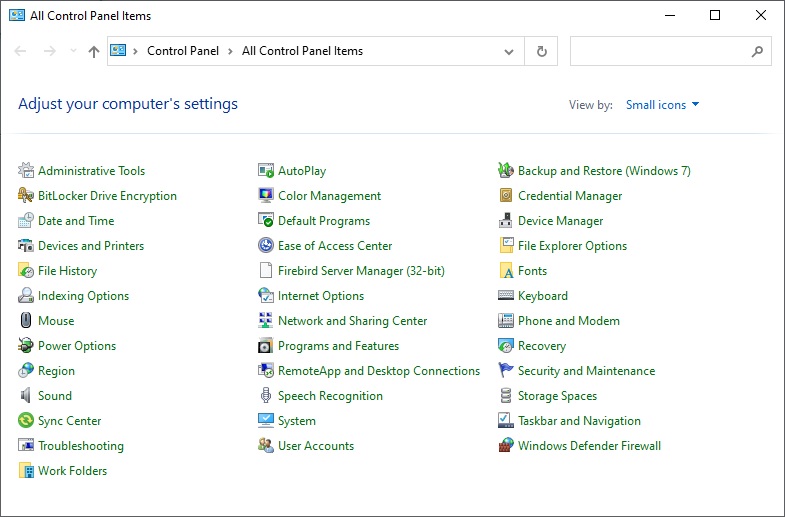
2-) Go to the control panel options and open the 'Firebird Server Manager'.
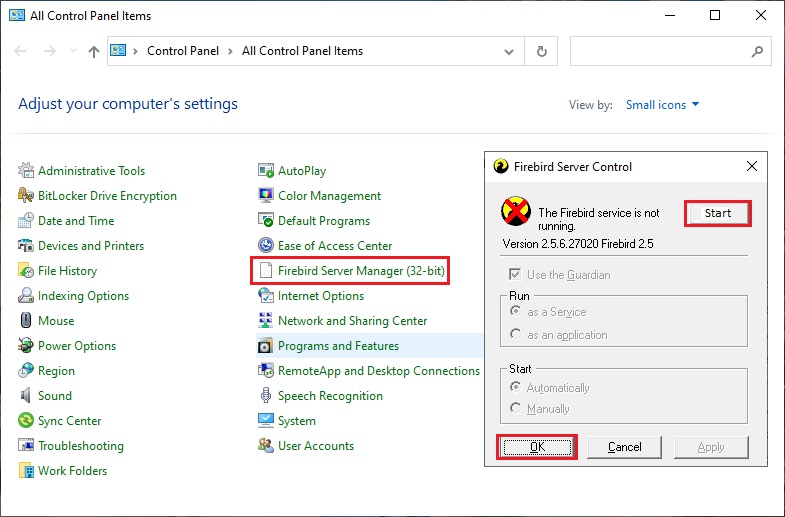
3-) Activate Firebird Server Manager by pressing the 'Start' button in the upper right part of the window that opens and press the 'OK' bot in the lower left part.
With this process, 'Firebird Server Manager' will become operational and you will be able to log in to the program without getting a 'Cannot attach to services manager' error.
Kaynak: AKINSOFT Bilgi Bankası (A3293) — orijinal makale
Aynı kategoriden diğer makaleler
Sorun devam mı ediyor?
AKINSOFT Malatya Ana Bayiniz olarak yerinde ve uzaktan destek veriyoruz.