

Usage of WhatsApp Feature in QR Menu
A3404Oluşturulma: 17.06.2022Güncellenme: 03.09.2026
All necessary steps are explained below in order to activate the feature of sending orders to the Whatsapp Account of the restaurant.
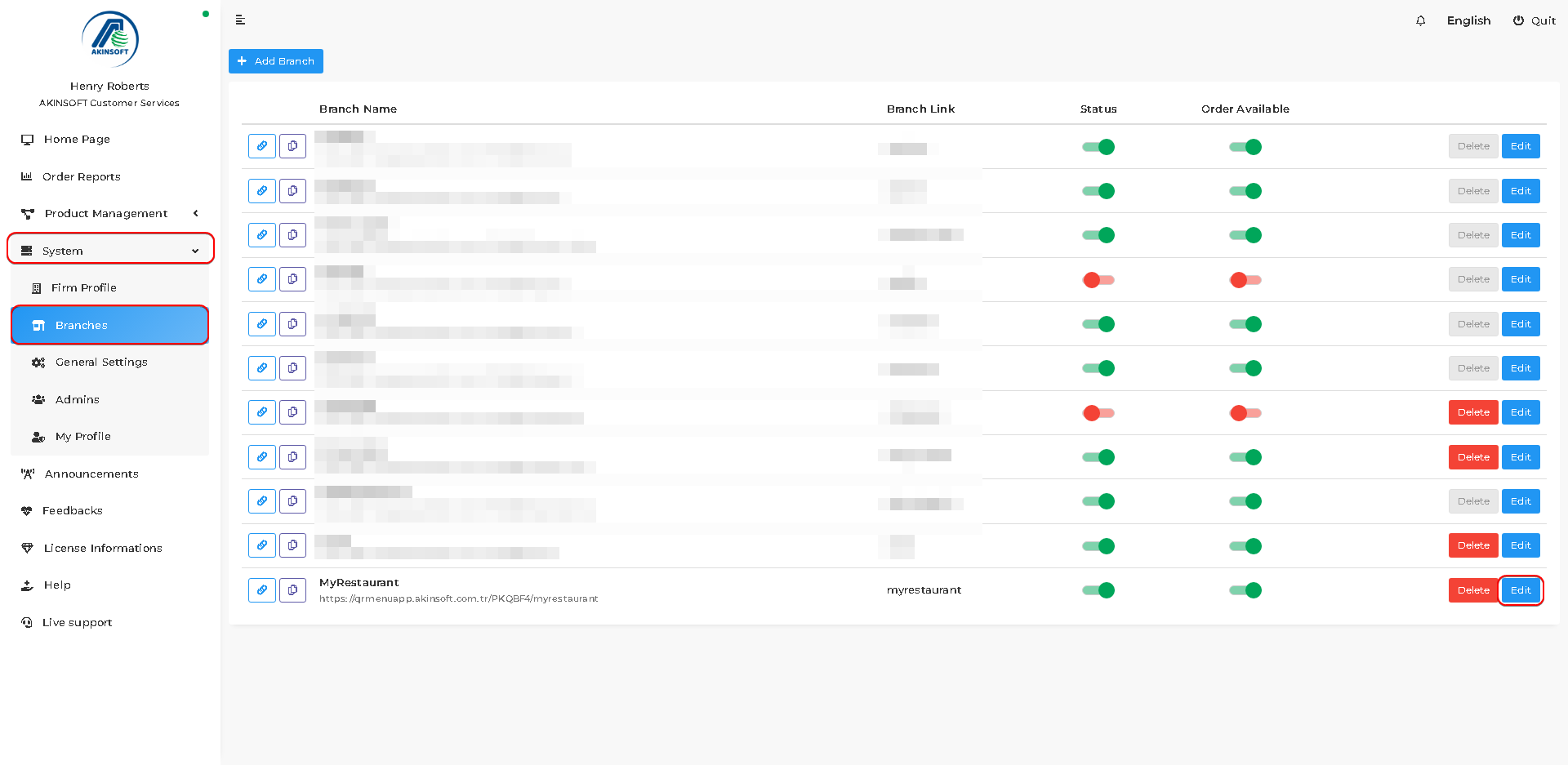
- Press System->Branches.
- Press the 'Edit' button of the branch that you want to activate the feature.
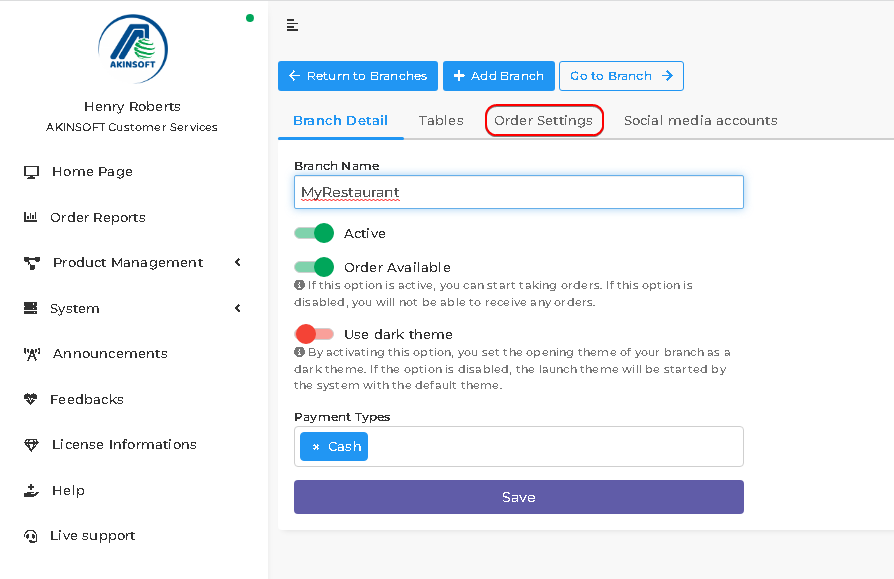
- Press the 'Order Settings' button that is on the branch edit page.
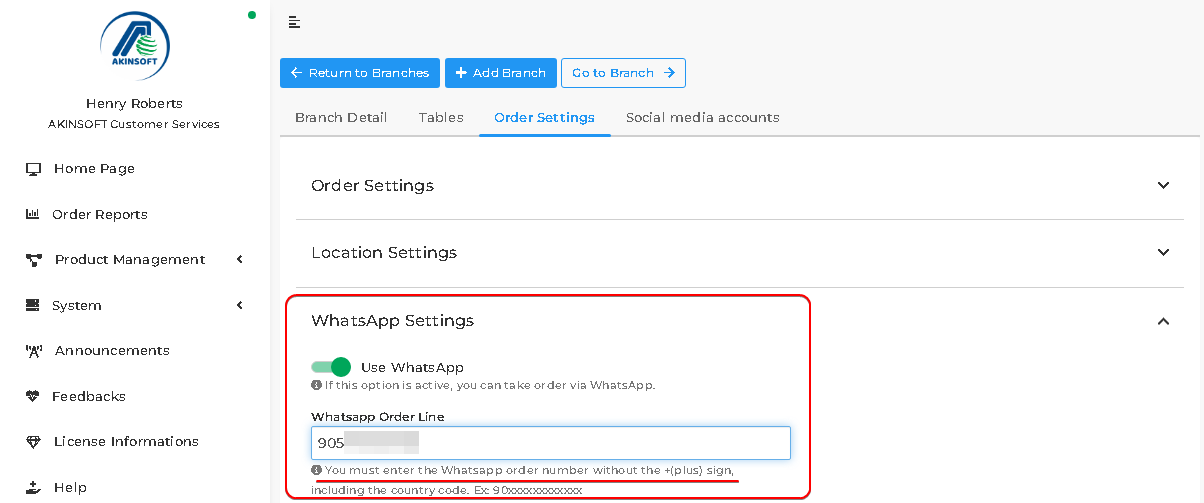
- You can activate the feature and type your WhatsApp number as in below.
- You must enter the WhatsApp order number without the +(plus) sign, including the country code. Ex: 90xxxxxxxxxxxx.
- Press the 'Save' button.
- You successfully activated the feature. Now let's see the customer side.
- When orders are ready and customers clicked the 'Send Order' button, they can send the order by pressing the 'Send via WhatsApp' button on the opened page.
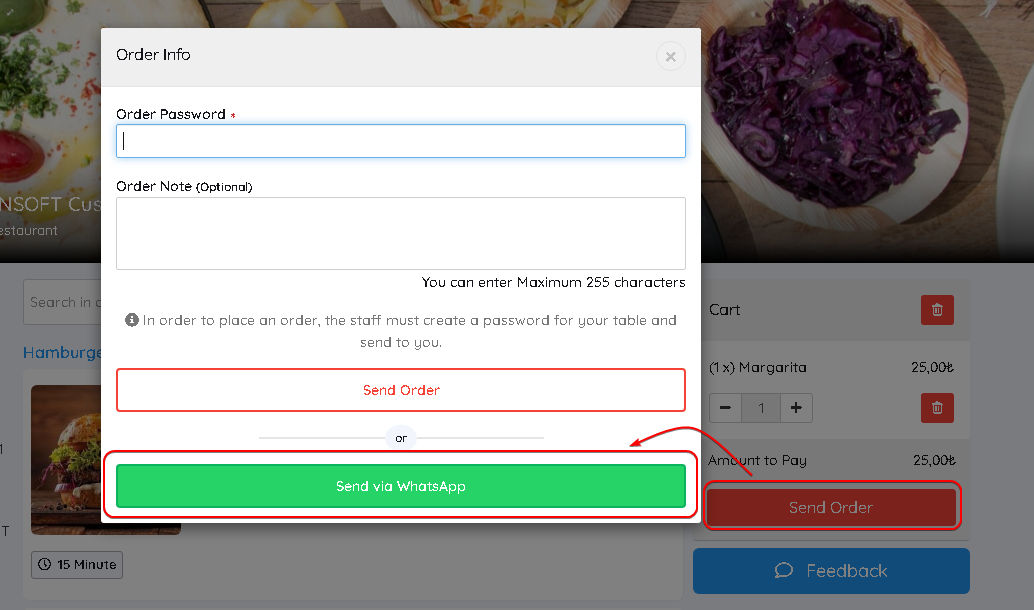
- There is some information that needs to be filled in by customers.
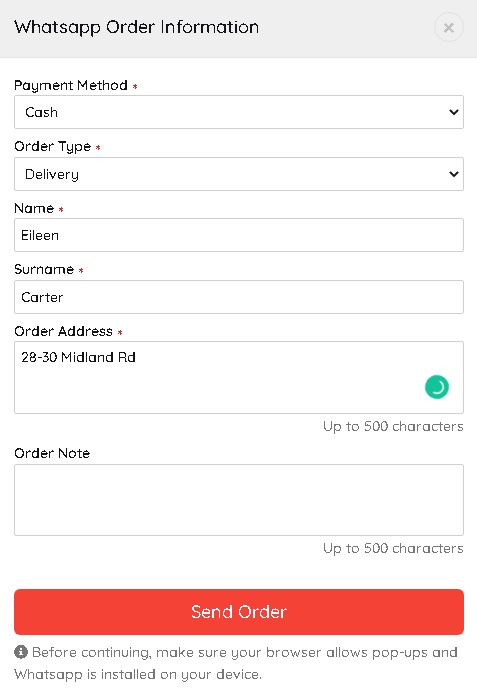
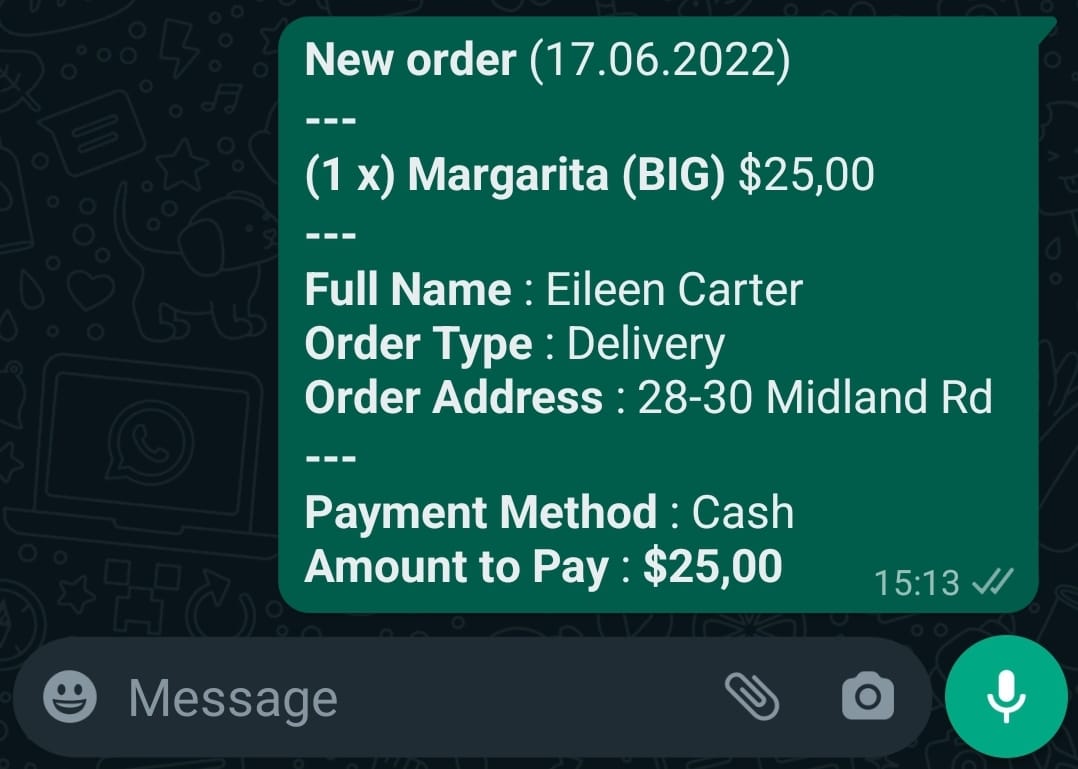
- Depending on entered information messages will be created and sent from customers' WhatsApp accounts as below.
Kaynak: AKINSOFT Bilgi Bankası (A3404) — orijinal makale
Bu makale yardımcı oldu mu?
Aynı kategoriden diğer makaleler
Sorun devam mı ediyor?
AKINSOFT Malatya Ana Bayiniz olarak yerinde ve uzaktan destek veriyoruz.