

Adding Social Media Links to QR Menu
A3405Oluşturulma: 17.06.2022Güncellenme: 03.09.2026
Follow the steps below in order to show your social media account on QR Menu;
- Press System => Branches => Edit Branch
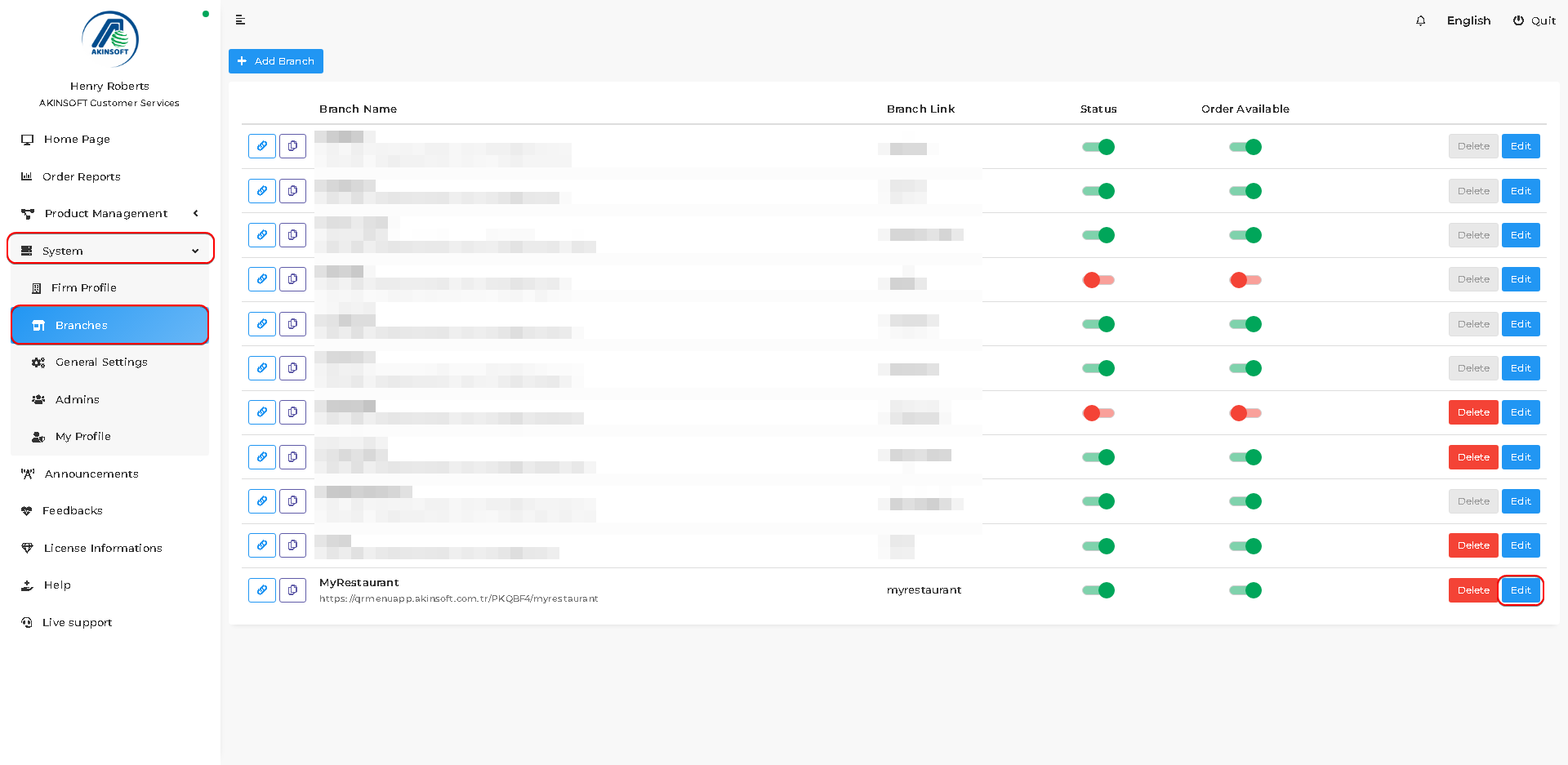
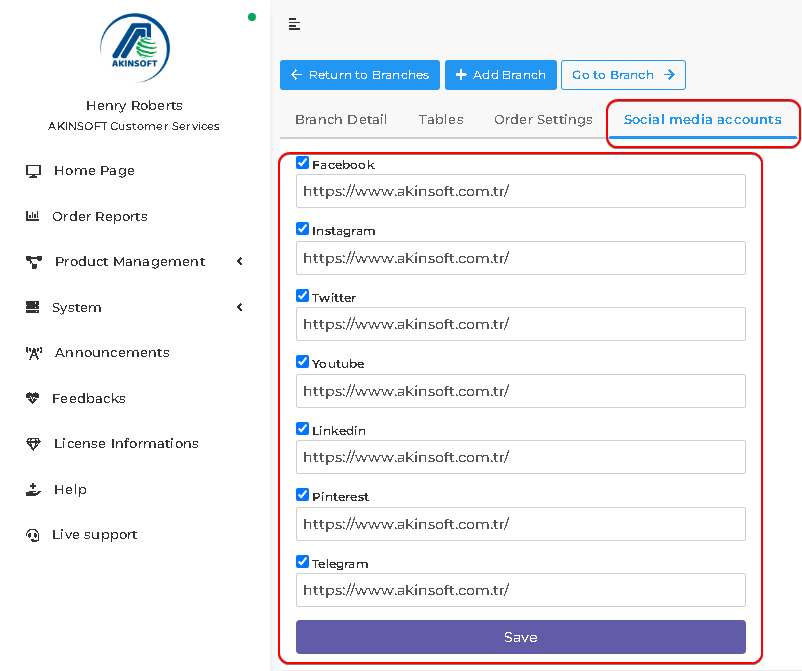
- Press the 'Social media accounts' button.
- Activate whichever social media accounts you want to show in QR Menu by pressing boxes next to names of social media.
- Put links into text areas and press the 'Save' button.
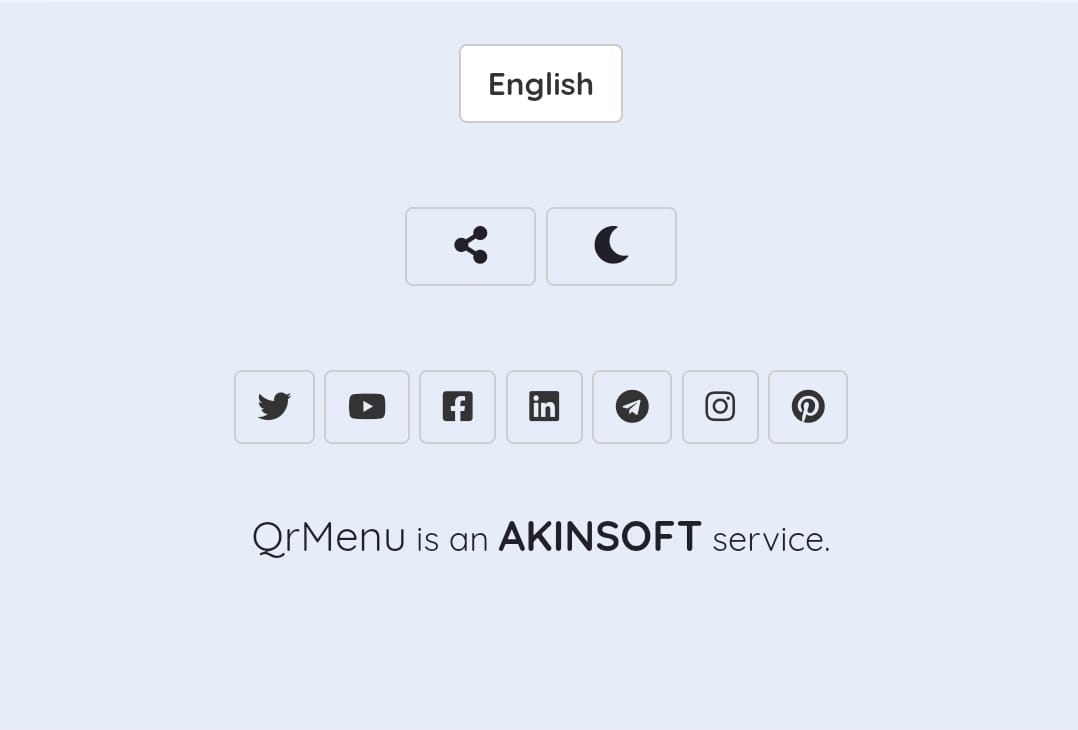
- Social media buttons will be shown bottom of the page.
Kaynak: AKINSOFT Bilgi Bankası (A3405) — orijinal makale
Bu makale yardımcı oldu mu?
Aynı kategoriden diğer makaleler
Sorun devam mı ediyor?
AKINSOFT Malatya Ana Bayiniz olarak yerinde ve uzaktan destek veriyoruz.